
Tony Hawk’s Pro Skater 3 + 4 Complete Controls for PC and Controller
Press Y to grind!


Tony Hawk’s Pro Skater 3 + 4 is now available on PC and consoles if you pre-ordered the digital deluxe edition, and like the first remake collection, it’s an absolute blast no matter what system you’re on.
The series has always been easy to get into, but you have a long ramp ahead if you want to master each mechanic. It’s why having a grip on the controls is essential; here are the complete controls for Tony Hawk’s Pro Skater 3 + 4, whether you’re playing on PC or consoles.
Tony Hawk’s Pro Skater 3 + 4 Complete Controls
| Action | Xbox | PlayStation | Switch | PC |
|---|---|---|---|---|
| Forward | D-pad Up | D-pad Up | D-pad Up | W |
| Stop | D-pad Down | D-pad Down | D-pad Down | S |
| Turn Left | D-pad Left | D-pad Left | D-pad Left | A |
| Turn Right | D-pad Right | D-pad Right | D-pad Right | D |
| Jump / Ollie | A | X | B | Space |
| Grab | B | Circle | A | → |
| Grind / Lap | Y | Triangle | X | ↑ |
| Flip | X | Square | Y | ← |
| Switch Position / Revert | RT | R2 | ZR | Ctrl |
| Nollie / Fakie | LT | L2 | ZL | ↓ |
| Social Menu | View Button | Touchpad | – | Tab |
| Fast Spin Left | LB | L1 | L | Q |
| Fast Spin Right | RB | R1 | R | E |
| Place HAWK Letter | LS | L3 | LS | |
| Skip Track / Push to Talk | RS | R3 | RS | Shift |
| Pause | Options | Options | Options | Escape |
Can You Rebind Tony Hawk’s Pro Skater 3 + 4 Controls?
If you’re playing the game on console, you can’t rebind controls and will have to get used to the default control scheme.
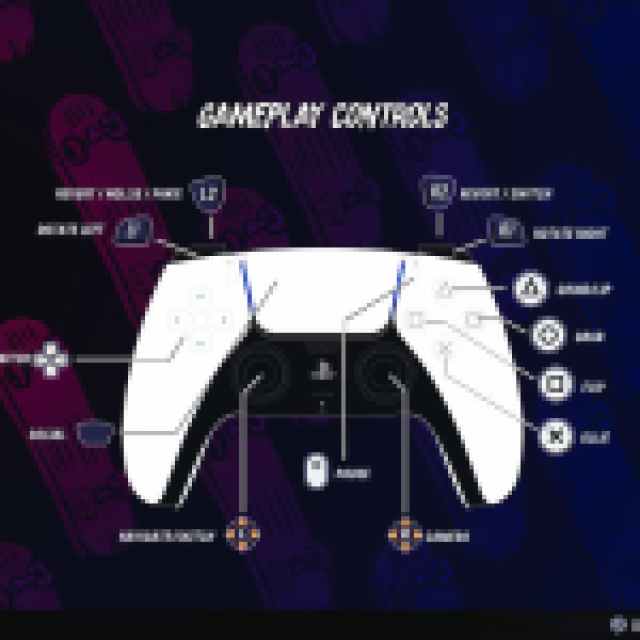

However, like the first release, there is rebinding available on the PC version, and you can rebind almost every action.
I’m not sure why rebinding isn’t available on the console versions, but it never got patched in the first collection either, so I don’t expect it to be added here. Thankfully, you can disable vibration on every platform, and there is the option to do 180 Spin Taps with a single input.

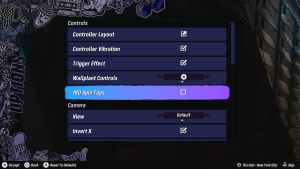
There’s also adaptive trigger support on the DualSense, and you can select your desired wallplant control.
Tony Hawk’s Pro Skater 3 + 4 Controls Supported Controllers on PC
Tony Hawk’s Pro Skater 3 + 4 Controls has excellent controller support on PC, and I tested an Xbox Series and DualShock 4 controller. Both work great, though I recommend disabling Steam Input to avoid any issues.
- Open Steam and navigate to your library.
- Here, right-click on Tony Hawk’s Pro Skater 3 + 4 and select Properties.
- In the Controller tab, select the Disable Steam Input option under Override for Tony Hawk’s Pro Skater 3 + 4.
Overall, the controls for Tony Hawk’s Pro Skater 3 + 4 are practically identical to the last collection, and while there are plenty of accessibility features added this time, I wish that console players were able to rebind controls to their liking.


