
How to Sheathe Your Weapon in Assassin’s Creed Black Flag Resynced
One of the best new features.


Assassin’s Creed Black Flag Resynced introduces several quality-of-life improvements that make exploring the Caribbean smoother than ever. From handy shortcuts to long-requested features, the remake adds plenty of welcome refinements. One of those is the ability to sheathe your weapons, which wasn’t possible in the original. Here’s how to do it.
Sheathe Weapons in Assassin’s Creed Black Flag Resynced
Edward can wield a variety of swords in Assassin’s Creed Black Flag Resynced, which serve as his primary melee weapons. If you accidentally draw them or leave a combat encounter, it can take Edward a few moments to automatically sheathe them. Instead, you can manually sheathe your weapons by holding Left on the D-pad with a controller or T on the keyboard.
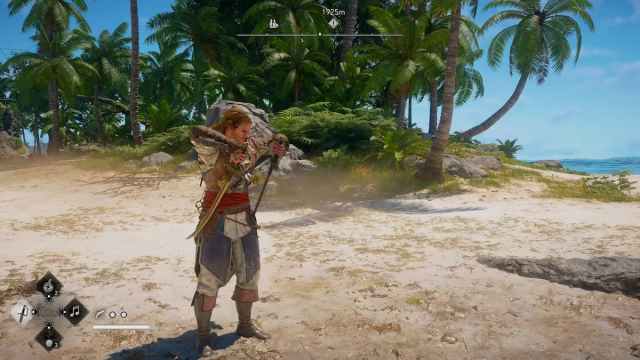
You can unsheathe your swords with the same inputs. It’s a quick animation and easily accessible on both input types.
- Something to keep in mind is that sheathing weapons doesn’t allow you to use your fists instead. The attack button (R1/RB) will always draw the weapons. You can, however, hold RT/R2 to access the kick and sweep.
- Additionally, sheathing only works for swords. If you’re aiming with a pistol, blowpipe, smoke bomb, or rope dart, simply letting go of the aim button will sheathe them.
How to toggle Hood
Another neat addition to Assassin’s Creed Black Flag Resynced is the ability to toggle Edward’s hood at any time. Just press Left on the D-pad with a controller or T on the keyboard, and he’ll lower or raise the iconic Assassin hood right away.
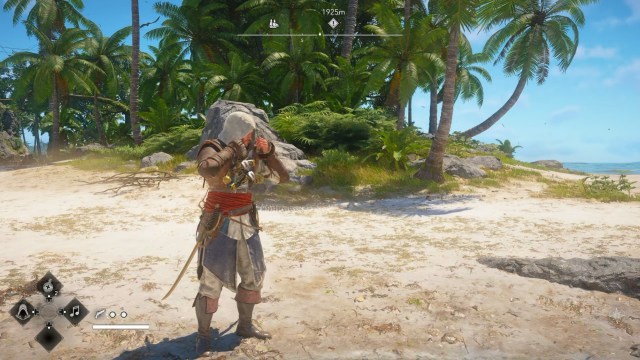
Can you rebind these inputs?
Yes, if you don’t like the default inputs for anything in Assassin’s Creed Black Flag Resynced, you can rebind them to something else. Just go to Options, then Controls, then Customize Controls. Here you’ll see every possible action listed, and you can change it to whatever you find comfortable. You can also decide whether the input should be a press or a hold.
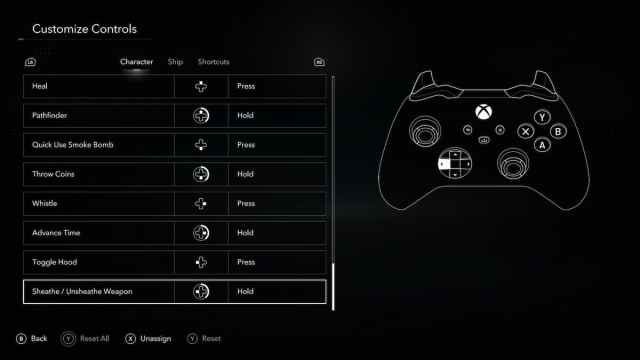
These small but neat additions make Black Flag Resynced the definitive way to enjoy the pirate adventure, and you can check out the inputs for all the shortcuts here.


