
How To Remove the Metal Gear Solid Delta Snake Eater 60 FPS Cap
Praise Lyall.


Metal Gear Solid Delta Snake Eater is a remake of the classic PS2 title in Unreal Engine 5. Despite the visual improvements across the board, this new release is locked at 60 FPS even on PC. This is likely because the engine physics of the original are tied to the frame rate, but it’s disappointing either way.
Thankfully, Lyall from the modding community has already addressed this with a patch that removes the 60 FPS cap in Metal Gear Solid Delta Snake Eater.
Remove Metal Gear Solid Delta Snake Eater FPS Cap
The patch from Lyall adds ultrawide support to the remake and removes the 60 FPS cap. If your system can handle it, it’s absolutely worth getting the patch for a smoother experience, and here is how you can install it.
- Head over to the following link and download the latest release zip file. (0.0.2 as of writing)
- Extract the zip file (MGSDeltaFix_0.0.2.zip) into the following location where Metal Gear Solid Delta Snake Eater is installed:
steamapps\common\MGSDelta\Binaries\Win64
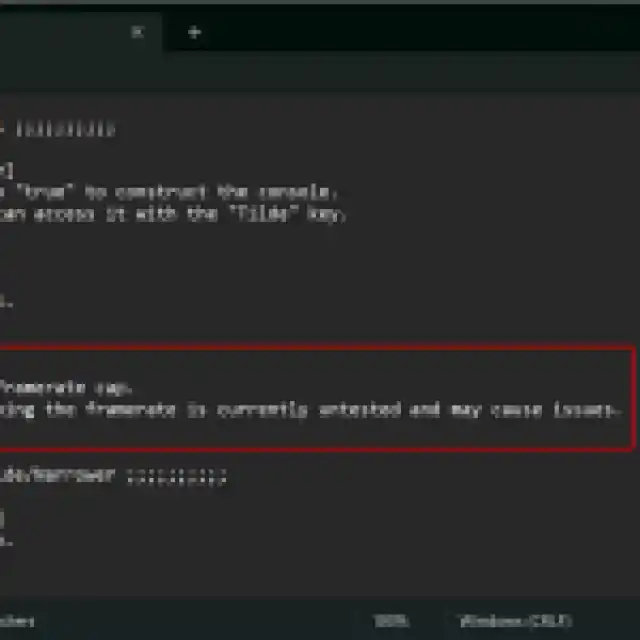
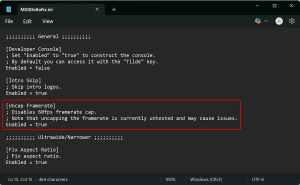
- Now, open the MGSDeltaFix.ini in a text editor like Notepad or Notepad++ and under [Uncap Framrate] set the value of Enabled to true.
- After you’re done, save the configuration file and exit.
That’s all you need to do, and the next time you launch Metal Gear Solid Delta Snake Eater, it will run at an unlocked framerate.
All credits go to Lyall for creating and testing the patch. Their contributions are incredibly helpful for PC gamers, and you can learn about their work on their Patreon.
Now, keep in mind that the unlocked framerate could introduce potential bugs as it hasn’t been thoroughly tested. The developers have purposefully locked the game at 60 FPS and don’t offer an option to unlock it or just a higher framerate in-game.
If you are running into any issues, follow the steps above and set the value back to false. Outside of the framerate, the patch also lets you skip the intro videos and adds ultrawide support.
I hope that the developers consider adding the option to play at a higher framerate without the need for a patch, but considering the game is already so demanding, I doubt a lot of systems can hit above 60 FPS anyway.


