
How To Manually Update to Honkai Star Rail 3.1 on PC
Light Slips the Gate, Shadow Greets the Throne


Another major update for Honkai Star Rail is now out, adding more characters, quests, and content to the ever-growing miHoYo Gacha title. Despite the efforts from the developer to improve the launcher, HoYo Play is still unreliable for a good portion of the players.
Thankfully, manually updating Honkai Star Rail is still an option, and here is how you update to version 3.1 with minimal launcher interaction.
Honkai Star Rail 3.1 Patch Files
First, download the patch files for version 3.1, and make sure you’re using a third-party download manager instead of your browser.
- Make sure to download the audio pack that corresponds to your Windows default language.
- This guide assumes you’re on version 3.0
- All the links shared are the same ones the HoyoPlay launcher uses to connect with miHoYo servers.
- Download one file at a time from the miHoYo servers to avoid corruption of the zip files.
- Consider using a third-party download manager instead of the browser.
- You need the Patch file and at least one audio file pack.
| Patch Link | Size |
|---|---|
| Honkai: Star Rail Patch 3.0 to 3.1 | 4.49 GB |
| Chinese Audio Pack (CN) | 395 MB |
| Chinese Audio Pack (TW) | 395 MB |
| English Audio Pack | 402 MB |
| Japanese Audio Pack | 483 MB |
| Korean Audio Pack | 388 MB |
Step 1: Update HoYoPlay
Run HoYoPlay to automatically update the launcher to the latest version. You can also check for updates in the launcher’s settings, followed by Check for Updates.
Step 2: Initiate Update and Pause It
In the HoYoPlay launcher, click the Update button and pause it after a few seconds or after it reaches around the 2% mark.

Step 3: Exit the Launcher
After you have paused the update, go ahead and exit the launcher. Make sure it isn’t running in the background either.
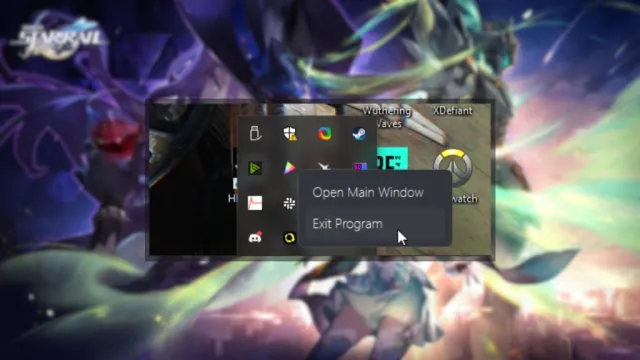
Step 4: Move Zip Files to Games Folder
Now, move the zip files to the Games folder where Honkai: Star Rail is installed on your PC. Replace any temporary files (uncomplete_tmp).
C:\Program Files\Star Rail\Games
Step 5: Resume the Launcher Download
Finally, run the launcher again and resume the download. The launcher will automatically detect the downloaded files, and install them for you.
That’s all you need to do to update Honkai: Star Rail to version 3.1 on your PC. When you launch the game, some additional files may be downloaded, which is completely normal.


