
How To Get the Battlefield REDSEC Twitch Drops
DEADSET on getting those drops!


The free-to-play battle royale component of Battlefield 6, titled Battlefield REDSEC, is now available on all platforms. To celebrate the launch of Battlefield 6’s Season One, EA has partnered with Twitch for a dedicated drops campaign that includes several in-game rewards.
Here’s how you can earn these Twitch drops for Battlefield REDSEC and unlock some neat customization items.
Battlefield REDSEC Twitch Drops
The Battlefield REDSEC Launch campaign is currently active and includes the following rewards:
| Item | Item Image | Total watched minutes required |
|---|---|---|
| Hitchhiking Vehicle Decal | 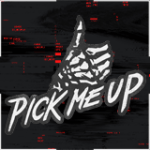 | 60 Minutes (1 Hour) |
| Marauder Vehicle Skin for VC90 | 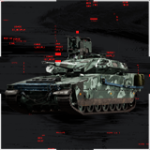 | 120 Minutes (2 Hours) |
| Highland Hunter P18 Weapons Package | 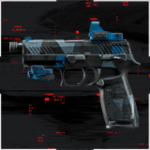 | 180 Minutes (3 Hours) |
| No Mercy NATO Assault Soldier Skin | 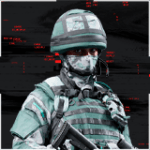 | 240 Minutes (4 Hours) |
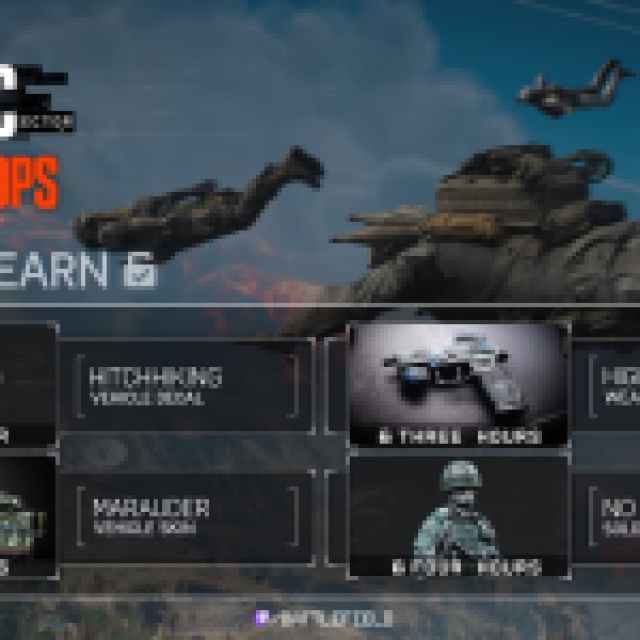
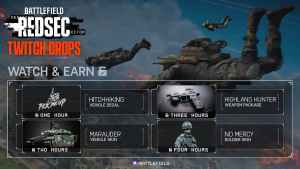
So that’s a total of four hours of viewing, which totals up to 240 minutes. You’re getting a decent variety of items for a weapon, vehicle, class, and a decal for the vehicle. These cosmetics feel consistent with the game’s art style and don’t look out of place either.
Battlefield REDSEC Twitch Drops Schedule
The current Twitch Drops campaign for Battlefield REDSEC is active from October 28, 2025 to November 5, 2025.
How to Claim Twitch Drops for Battlefield REDSEC
You need to connect your EA account with Twitch to become eligible for these rewards and the campaign itself.
- Head over to the following link to both accounts, EA and Twitch.

- Once you’ve linked your EA and Twitch accounts, head over to any Battlefield REDSEC stream with drops enabled and watch the Stream (or put it on in the background) for the specified time, a total of 240 minutes if you want everything.
- You can keep track of the drop progress in your Twitch inventory. If the progress bar doesn’t update automatically, refresh the page.
- Once you have watched the specified time, you’ll see the Claim Now button on the same page, over the items one by one.
- After you claim the items, they will show up in your inventory.
That’s about it. You have around eight days to claim these drops, which is plenty of time to put a few streams in the background and enjoy some neat cosmetics.
If you’d like to see more helpful guides, news, or features from Prima Games, please consider adding us to your preferred sources.


