
How To Fix the Ninja Gaiden 2 Black Ultrawide Cutscenes Issue on PC
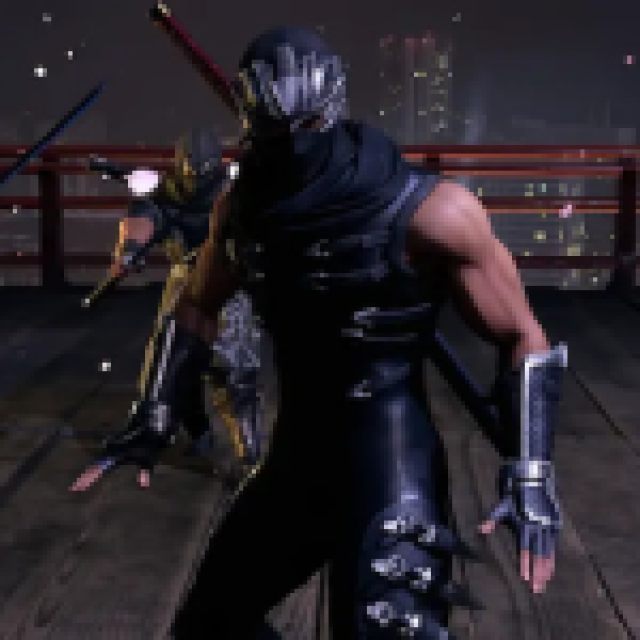
Ultrawide Ryu.


Ninja Gaiden 2 Black was shadow-dropped by Team Ninja and KOEI TECMO during the Xbox Developer Direct along with the announcement of a new entry in the legendary franchise. It’s developed on Unreal Engine, and while it’s an excellent release for the most part, it’s a bit lacking in some areas. For instance, while the game has support for ultrawide monitors, it’s limited to gameplay and you’ll see black bars during in-game cutscenes. Thankfully, we have Rose from the widescreen community to thank for resolving this issue with a useful patch.
Fixing the Ninja Gaiden 2 Black Ultrawide Cutscenes Issue
The patch from Rose does exactly what’s needed to perfect the ultrawide implementation in Ninja Gaiden 2 Black. It removes pillar boxing from the cutscenes, making the experience consistent on ultrawide and wider monitors.
Installing the patch is pretty straightforward as well:
- Head over to the following GitHub link
- Download the patch file by clicking the Ninja.Gaiden.2.Black.ultrawide.v1.0.zip under Assets
- Extract the zip file where Ninja Gaiden 2 Black is installed
Steam: \NINJAGAIDEN2BLACK\Binaries\Win64
Xbox App (Game Pass): \NINJAGAIDEN2BLACK\Binaries\WinGDK
- Launch Ninja Gaiden 2 Black and set the Display mode to Borderless for this to work.
- Alternatively, you can set the Display mode to Fullscreen, close the game, and then edit the ResolutionX and ResolutionY values in the GameUserSettings.ini file. This can be found in the following locations:
Steam: %LOCALAPPDATA%\NINJAGAIDEN2BLACK\Saved\Config\
Xbox App (Game Pass): %LOCALAPPDATA%\NINJAGAIDEN2BLACK\Saved\Config\WinGDK\
That’s all you need to do and the cutscenes should play properly without any black bars at the sides. Here is a screenshot provided by Rose to show the patch in action during one of the opening cutscenes.
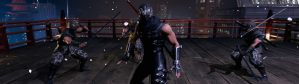
All credits go to Rose for creating and testing the patch at 2560×1080 and 3840×1080 resolutions. You can learn about their work at their Patreon or BuyMeACoffee pages.
If you wish to remove the patch for any reason, simply delete the files that are extracted by the Ninja.Gaiden.2.Black.ultrawide.v1.0.zip. There aren’t any known issues in the patch at the moment, and we likely won’t see an upgrade for it.
We don’t expect to see a patch to add similar functionality from the developers as removing pillar boxing from the cutscenes could lead to some awkward additions in the complete frame.


