
How to Change Your Skin Color in Hytale
Customize your character to your heart's content.

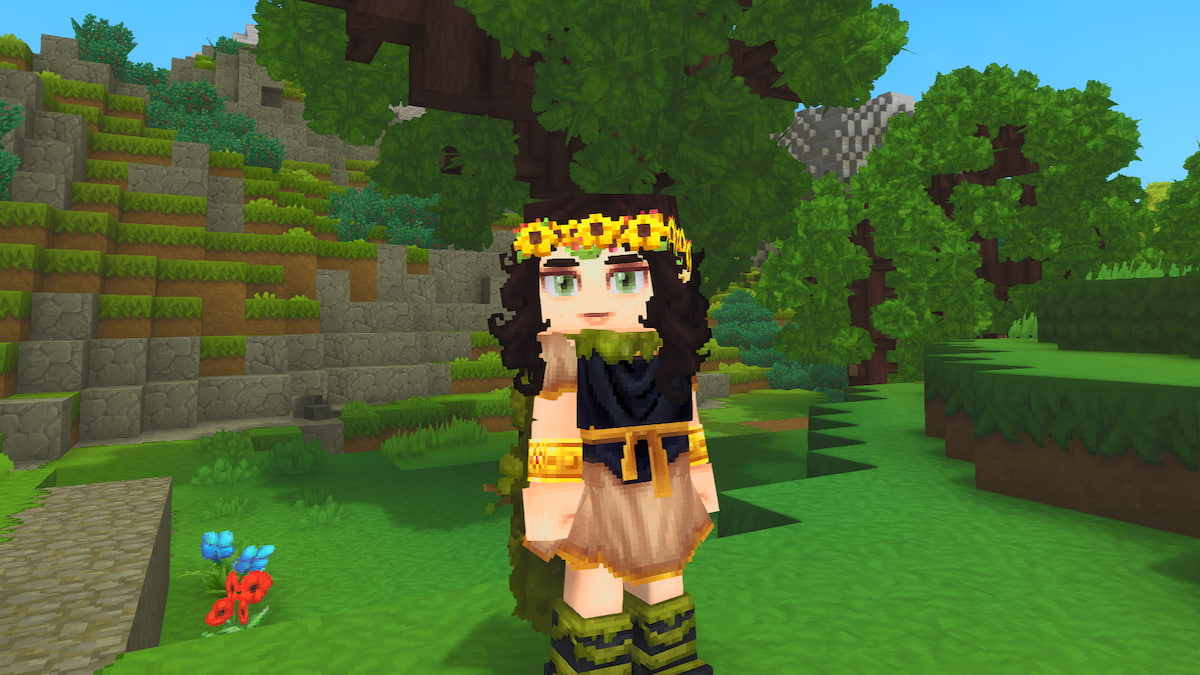
A new journey awaits in Hytale, but before you start exploring, you’ll want to fully customize your own avatar. There are loads of options to choose from, which can make it a bit tricky to find what you’re looking for, especially if you want to change your skin color.
You don’t want to set off to explore a new world until you have your avatar ready to go, so figuring out how to customize them exactly as you want is crucial. If you’re having trouble finding this option, here’s how to change your skin color in Hytale.
How Do You Change Your Skin Color in Hytale?
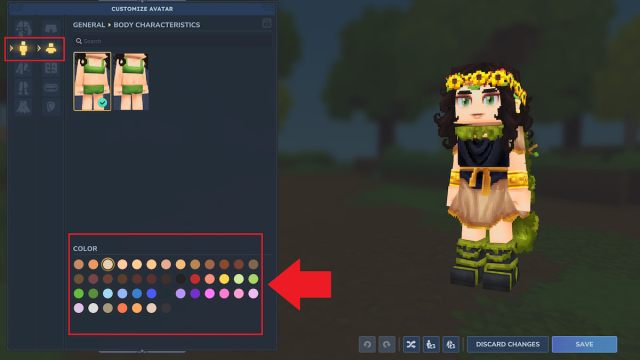
You can change your skin color in Hytale by switching to one of the other available color options under the Body Characteristics page. It can be a bit tricky to find and easy to miss with so many character customization options to choose from, so here’s how to locate it.
- Select the My Avatar page on the main menu.
- Switch over to the General tab, which is the second one down in the character creator menu. The icon for this page is a body.
- Click on the Body Characteristics tab, which is the second one down under the General tab. The icon for this page is a torso with a head.
- Locate the Color section near the bottom left corner of the screen.
- Select any of the available Colors to change your skin tone.
Once you’ve chosen your new skin tone and updated any other avatar features you wish to change, be sure to select the Save button in the bottom right corner to lock these alterations in. You can freely switch up and change your skin color, along with all other customization features, at any point, so don’t worry too much about deciding on just one option.
There are lots of different skin colors to choose from, including both natural and fantasy tones, so you can truly customize your avatar however you like. Once you’re done, you can finally dive in to play, and a good task to start with is finding any Rubble.


