
Grounded 2 Save File Location for PC
Ground your saves, too.


Grounded 2 has officially released in early access on PC through Steam and the Xbox App, as well as Xbox Series S|X. With positive critical reception and concurrent player count on launch, it looks like another hit for Obsidian Entertainment. Despite some performance hiccups, the PC version remains the best.
If you want to find your local data for Grounded 2, whether you want to secure it or create a backup, here is the save file location.
Grounded 2 Save File Location
| Client | Save File Location |
|---|---|
| Steam | C:\Users\[Windows Username]\Saved Games\Grounded2 |
Inside the Grounded2 folder, you’ll see a folder with a huge string of numbers, and inside it, your save data for the particular world. If you are running more than one profile in-game, then you’ll see multiple folders here, each with its respective content of that world. There is also a screenshot in both, which should help you confirm which world this represents.
To keep things simple, I recommend copying the entire Grounded2 folder for backup or future use. You can get to the same location by entering the following address in Windows Run or Windows Explorer:
%USERPROFILE%/Saved Games/Grounded2
Does Grounded 2 Have Multiple Save Slots?
Yes, you can create multiple worlds and save slots in Grounded 2. These can be accessed from the main menu if you click “Load Game“, and you can see individual stats, including the time spent, date of creation, game version, and how many individual saves are created within the world.
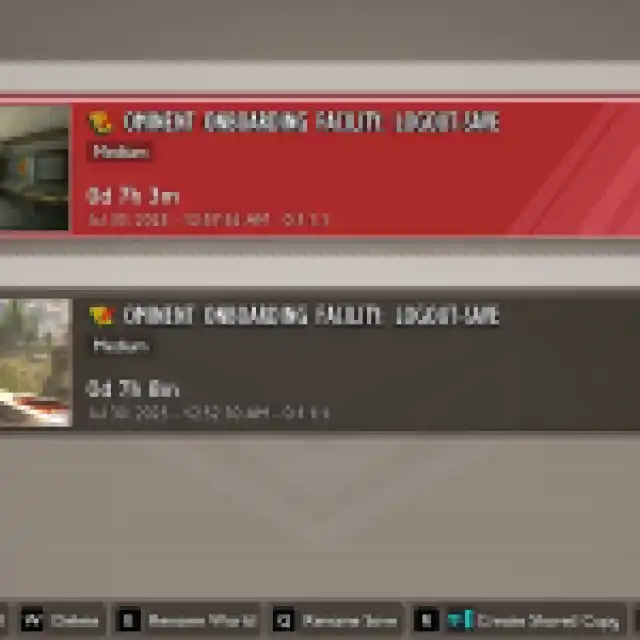

You can also rename the world or save file, and create a shared copy which you can use with your friends in online co-op.
Grounded 2 Steam Features
Grounded 2 is available on both Steam and the Xbox App, but there are a lot more client features in the Steam version, including the following:
- Steam Cloud: Your progress is automatically uploaded to Steam Cloud, which can be accessed on different systems with the client.
- Family Share: Members of your Steam family can now access Grounded 2 as well.
- Steam Input: Grounded 2 has full controller support, but if you have an untraditional controller, Steam Input makes it easy to use.
Overall, Grounded 2 has a long road ahead, just like the first one, which stayed in early access for nearly two years.


