
How To Get the Mecha Break Twitch Drops
Yes, that's a tail.


The highly anticipated launch of Mecha BREAK is almost here, and the high-octane PvP mech shooter is ready to take off on PC and Xbox Series S|X. Customization plays a big role in the pilot and mecha experience, and Amazon Seasun Games has partnered with Twitch for a drops campaign.
Here is how you can get the Mecha BREAK Twitch drops and earn some neat customization items and accessories for your Pilot.
Mecha BREAK Twitch Drops
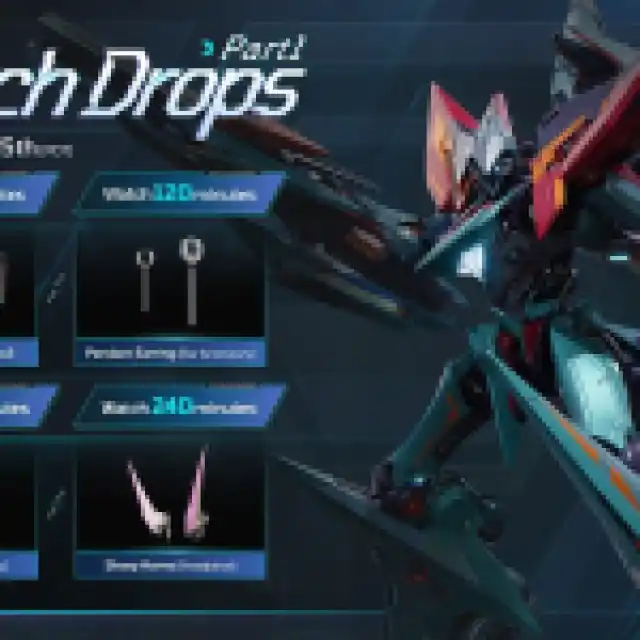
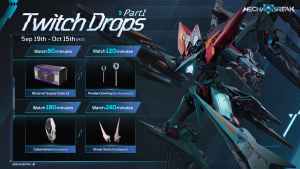
Currently, the Mecha BREAK Season One Part 1 campaign is live and includes the following drops:
| Item | Item Image | Total watched minutes required |
|---|---|---|
| Observer Supply Crate x3 | 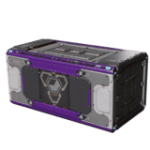 | 60 Minutes (1 Hour) |
| Ear Accessory – Pendant Earring | 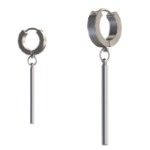 | 120 Minutes (2 Hours) |
| Accessory – Cyberstereo | 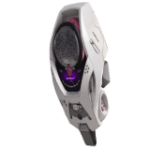 | 180 Minutes (3 Hour) |
| Headpiece – Sharphorns | 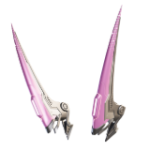 | 240 Minutes (4 Hours) |
You need to watch a total of four hours of streams to get all four items. Here is how these look on the pilot.
Mecha BREAK Drops Schedule
The Season One Part 1 campaign for Mecha BREAK is available from September 19, 2025, to October 15, 2025. You practically have the entire month to obtain these, and the requirements aren’t too bad either, at just four hours of watch time.
Mecha BREAK Special Weekend Drops
While more campaigns will be live, the developers have announced that there will be weekend drops as well, which will be active for three days each. Previously, each weekend featured Striker designs tied to specific Strikers; however, with the new Celestial series, Pilots can freely choose their favorite Striker design from six themes: Rainbringer, Wings of Absolution, Storm Eagle, Heavenly Axe, Dominion Eye, and Regal Blade
Here is the schedule and rewards for the weekly special drops for Mecha BREAK. T
Week One – September 26, 2025 to September 29, 2025
| Item | Total watched minutes required |
|---|---|
| Observer Supply Crate x3 | 60 Minutes (1 Hour) |
| Striker Design · Celestial | 120 Minutes (2 Hours) |
| Striker Design · Celestial | 180 Minutes (3 Hours) |
Week Two – October 3, 2025 to October 6, 2025
| Item | Total watched minutes required |
|---|---|
| Observer Supply Crate x3 | 60 Minutes (1 Hour) |
| Striker Design · Celestial | 120 Minutes (2 Hours) |
| Striker Design · Celestial | 180 Minutes (3 Hours) |
Week Three – October 10, 2025 to October 13, 2025
| Item | Total watched minutes required |
|---|---|
| Observer Supply Crate x3 | 60 Minutes (1 Hour) |
| Striker Design · Celestial | 120 Minutes (2 Hours) |
| Striker Design · Celestial | 180 Minutes (3 Hours) |
Week Four – October 24, 2025 to October 27, 2025
| Item | Total watched minutes required |
|---|---|
| Observer Supply Crate x3 | 60 Minutes (1 Hour) |
| Striker Design · Celestial | 120 Minutes (2 Hours) |
| Striker Design · Celestial | 180 Minutes (3 Hours) |
Week Five – October 31, 2025 to November 3, 2025
| Item | Total watched minutes required |
|---|---|
| Observer Supply Crate x3 | 60 Minutes (1 Hour) |
| Striker Design · Celestial | 120 Minutes (2 Hours) |
| Striker Design · Celestial | 180 Minutes (3 Hours) |
Week Six – November 7, 2025 to November 10, 2025
| Item | Total watched minutes required |
|---|---|
| Observer Supply Crate x3 | 60 Minutes (1 Hour) |
| Striker Design · Celestial | 120 Minutes (2 Hours) |
| Striker Design · Celestial | 180 Minutes (3 Hours) |
Week Seven – November 14, 2025 to November 17, 2025
| Item | Total watched minutes required |
|---|---|
| Striker Design · Celestial | 60 Minutes (1 Hour) |
| Striker Design · Celestial | 120 Minutes (2 Hours) |
| Striker Design · Celestial | 180 Minutes (3 Hours) |
How to Claim Twitch Drops for Mecha BREAK
To claim the drops for Mecha BREAK, you need to link your Mecha BREAK account with Twitch.
- After downloading the game from the official website, Steam, or Xbox Store, go ahead and create your character. This is important.
- Next, head over to the following website to link your Mecha BREAK (Seasun) and Twitch account by clicking on the “Link Account” button.
- Once you’ve linked the Mecha BREAK and Twitch accounts, head over to any Mecha BREAK stream with drops enabled and watch the Stream (or put it on in the background) for the specified time.
- You can keep track of the drop progress in your Twitch inventory
- Once you have watched the specified time, you’ll see the Claim Now button on the same page over the items.
- All the rewards will be sent to your in-game mailbox within 24 hours.
All rewards must be claimed before November 20, 2025, at 8:00 PM PDT (UTC-8). After that, these will expire, so don’t wait around.


