
All Guild Wars Reforged Error Codes and How To Fix Them
Patience is key, mostly.

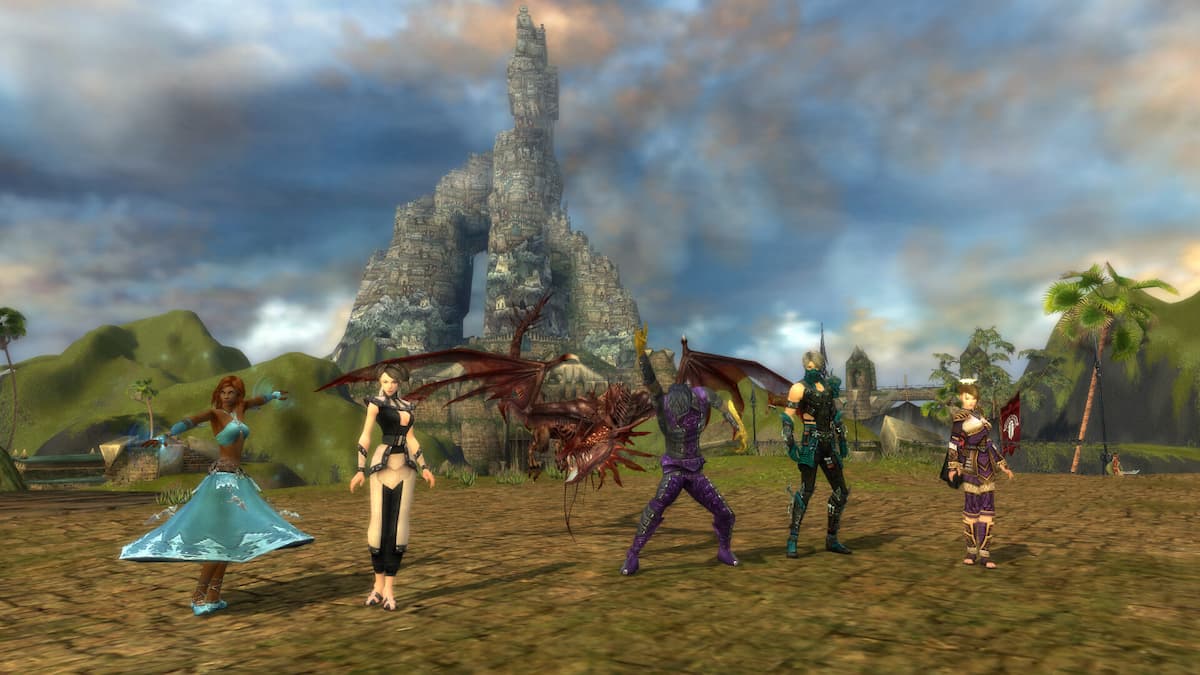
Image via ArenaNet
Guild Wars Reforged is a massive free update for existing owners and a new way to play for players interested in one of the most iconic MMO franchises of all time. The Reforged release brings new life to the title, but there are some technical issues that can occur.
During gameplay or while trying to launch Guild Wars Reforged, you can run into a host of issues, which are followed by specific error codes. Here is what every error code means and what you can do to fix it.
Guild Wars Reforged Error Codes
| Error Code | Error Message | What it means | How to fix it |
|---|---|---|---|
| 004 | “Guild Wars Reforged was unable to complete the operation. Please try again in a few minutes. (Code=004)” | This is a server issue that’s likely occurring due to a new update, bug, or something on the developer’s end. | Nothing you can do on your end, wait for a fix, and follow updates on socials. |
| 005 | “Guild Wars Reforged was unable to connect to the game server due to a network error. This may be caused by Internet routing issues or a server network failure. If this problem persists, please visit the Guild Wars Reforged support website. (Code=005)” | This usually means that something on your end is preventing the game from connecting with the servers. | Add Gw.exe (or GwSetup.exe) to Windows’ firewall exceptions. Add the Guild Wars Reforged installation folder to your antivirus’s exceptions list. Ensure that TCP port 6112 and TCP port 80 are open in your router’s settings. Try using an Ethernet connection over Wifi. |
| 007 | “Your connection to the server was lost. Please check your Internet connection. (Code=007)” | This means that your connection to the servers was lost either due to an internet hiccup, a weak connection, or a bug. | Completely exit out of the game and restart it after a few minutes. Reset your modem and router. Update your modem and router if possible. Try using an Ethernet connection over Wifi. Add the Guild Wars Reforged installation folder to your antivirus’s exceptions list. Restart your PC. |
| 010 | “Guild Wars Reforged was unable to complete the operation. Please try again in a few minutes. (Code=010)” | This is a server issue that’s likely occurring due to a new update, bug, or something on the developer’s end. | Nothing you can do on your end, wait for a fix, and follow updates on socials. |
| 013 | “Guild Wars Reforged was unable to complete the operation. Please try again in a few minutes. (Code=013)” | This is a server issue that’s likely occurring due to a new update, bug, or something on the developer’s end. | Nothing you can do on your end, wait for a fix, and follow updates on socials. |
| 015 | “Guild Wars Reforged was unable to complete the operation. Please try again in a few minutes. (Code=015)” | This is a server issue that’s likely occurring due to a new update, bug, or something on the developer’s end. | Nothing you can do on your end, wait for a fix, and follow updates on socials. |
| 019 | “Guild Wars Reforged was unable to find the mission you requested. Please try again in a few minutes. (Code=019)” | This is a server issue that’s likely occurring due to a new update, bug, or something on the developer’s end. | Nothing you can do on your end, wait for a fix, and follow updates on socials. |
| 026 | “(DNS name lookup failed) (Code=026)” | This is a server issue that’s likely occurring due to a new update, bug, or something on the developer’s end. | Nothing you can do on your end, wait for a fix, and follow updates on socials. |
| 027 | “Invalid Name: Too Short (Code=027)” | Your character’s name is too short. | Make sure your character’s name is at least 3 characters long. It’s also possible that you used an invalid name. |
| 031 | “The character name “<text>” contains words or partial words that are not permitted in Guild Wars Reforged. Please select a new name and try again. (Code=031)” | You are trying to use a character name that has a word or character that isn’t permitted. | Ensure that you’re not using an offensive or inappropriate name. You can review the naming policy here and find helpful character-creation tips here. |
| 035 | “You have been disconnected from Guild Wars Reforged because another client has connected using your account. Please try again later. (Code=035)” | You are logged into the client from more than one location. | You can only play the game from one location at a time, so make sure you aren’t logged in on a different device or location. |
| 037 | “Friends list is full. (Code=037)” | You’ve reached the maximum number of friends who can be added to your list. | You can have a total of 100 friends in Guild Wars Reforged. If you want to add more people, you will need to remove some of the existing ones. |
| 040 | “Guild Wars Reforged was unable to complete the operation. Please try again in a few minutes. (Code=040)” | This is a server issue that’s likely occurring due to a new update, bug, or something on the developer’s end. | Nothing you can do on your end, wait for a fix, and follow updates on socials. |
| 041 | “You have attempted to create too many characters recently. (Code=041)” | You’ve tried to create too many characters within the hour. | Some players attempt to disrupt server activity by creating a large number of characters simultaneously. Even though the limit is already pretty high, please avoid doing this. |
| 042 | “Guild Wars Reforged was unable to complete the operation. Please try again in a few minutes. (Code=042)” | This is a server issue that’s likely occurring due to a new update, bug, or something on the developer’s end. | Nothing you can do on your end, wait for a fix, and follow updates on socials. |
| 043 | “You have already created the maximum number of characters for this account. Please delete one of your existing characters if you wish to create a new one. (Code=043)” | You’ve created more than the allowed number of characters. | You can buy additional character slots but keep in mind that the maximum number of character slots allowed on any given account is 28. |
| 045 | “Your account has been suspended from Guild Wars Reforged for offensive behavior, which is a breach of the User Agreement and Rules of Conduct. You will be able to join the game in approximately X hours.” “We have detected that your account may have been accessed by an unauthorized individual. For your security, further access to the account has been blocked until this matter can be resolved. To restore access to this account, please contact Support, and one of our representatives will assist you.” “Your account has been banned from Guild Wars Reforged for a breach of the User Agreement and/or Rules of Conduct. This ban is permanent.” “Your Guild Wars Reforged has been blocked for an account issue. Please contact Support for more information.” “Your Guild Wars Reforged account has been terminated for payment fraud. This action is permanent.” “Your Guild Wars Reforged account has been terminated for using a bot or other third-party program, which is a breach of the User Agreement and Rules of Conduct. This action is permanent.” | Your account may have violated the user agreement or rules of conduct, you may have been using a cheat, or your account may have been compromised by a hacking attempt. | Contact the support team. |
| 050 | “Guild Wars Reforged was unable to complete the operation. Please try again in a few minutes. (Code=050)” | This is a server issue that’s likely occurring due to a new update, bug, or something on the developer’s end. | Nothing you can do on your end, wait for a fix, and follow updates on socials. |
| 057 | “Guild Wars Reforged was unable to complete the operation. Please try again in a few minutes. (Code=057)” | This is a server issue that’s likely occurring due to a new update, bug, or something on the developer’s end. | Nothing you can do on your end, wait for a fix, and follow updates on socials. |
| 058 | “Guild Wars Reforged was unable to connect to any login servers. This is very likely caused by an Internet routing issue. If this problem persists, please visit the Guild Wars Reforged support website. (Code=058)” | This usually means that something on your end is preventing the game from connecting with the servers. | Add Gw.exe (or GwSetup.exe) to Windows’ firewall exceptions. Add the Guild Wars Reforged installation folder to your antivirus’s exceptions list. Ensure that TCP port 6112 and TCP port 80 are open in your router’s settings. Try using an Ethernet connection over Wifi. |
| 059 | “Maximum play time exceeded. (Code=059)” | If you have been playing for more than 24 hours, you will be disconnected automatically. If your account has been logged in for more than 10 hours, you will be disconnected automatically. | Simply re-enter your login credentials and reconnect. You might need to restart the game client. |
| 072 | “Guild Wars Reforged was unable to complete the operation. Please try again in a few minutes. (Code=072)” | This is a server issue that’s likely occurring due to a new update, bug, or something on the developer’s end. | Nothing you can do on your end, wait for a fix, and follow updates on socials. |
| 102 | “The access key you have entered is invalid. Some numbers look similar to letters, such as ‘8’ and ‘B’, and ‘6’ and ‘G’. Please check your code and try again. If this problem persists, visit the Guild Wars Reforged support website. (Code=102)” | You are entering an incorrect Access Key, whether you’re creating a new account or adding the Access Key to an existing account. | Make sure to double-check the access code while entering it. Here are a few tips to ensure its accuracy: 6, 8, 9, and B can look very similar, so try each. There are no I’s (eyes), O’s (oh’s), or 0’s (zeros) in codes, only 1’s (ones), J’s (jays), and Q’s (cues) J’s are sometimes hard to discern, as the “loop” at the bottom may not be easy to see. You might try “J” rather than a 1. |
| 103 | “The access key you have entered is in use. Try entering in another access key. If this problem persists, visit the Guild Wars Reforged support website. (Code=103)” | The Access Key has already been redeemed. | – |
| 105 | “Your account already has access to the rights this key provides. (Code=105)” | You already have access to the content you’re using the Access Key for. | If you purchased this by accident or have a duplicate key, you can request a refund by contacting the support team. |
| 122 | “(Access key disabled)” | The key you’re trying to redeem has been disabled. | Contact the retailer you’ve purchased it. If you received a defective ke from the Guild Wars store, contact the support team. |
| 141 | “Your play time has ended. To continue playing, please purchase Guild Wars Reforged. See www.guildwars.com for more information. (Code=141)” | This will only show up if you’re playing the game through a limited-time event. | You need to purchase the game. |
| 165 | “You do not have the Guild Wars Reforged campaign necessary to select that character. (Code=165)” | This will only appear if you created a character during the preview weekend or used a trial key. | You need to purchase the game. |
| 167 | “Guild Wars Reforged is currently down for maintenance. We apologize for any inconveniences this maintenance may cause, and hope to have Guild Wars Reforged running again in short order. For more information, please see the Network News page at www.GuildWars.com. (Code=167)” | The servers are currently down for maintenance. | Nothing you can do on your end, wait for the maintenance to be completed, and follow updates on socials. |
| 223 | “You entered a map in an invalid manner. (Code=223)” | You entered the map, which is either locked or inaccessible in some form. | You may need to finish the required missions before entering this area. If you feel you’ve already fulfilled the conditions, contact the support team. |
| 224 | “You may not log into Guild Wars Reforged from this location because this Internet address (IP address) has been permanently banned for repeated violations of the User Agreement and Rules of Conduct. (Code=224)” | Your IP has been blacklisted from accessing the authentication servers. This is usually due to hacking attempts or other malicious attacks detected from the IP, or it is due to territorial or licensing restrictions in your region. | If you believe your IP has been wrongfully banned, contact the support team. |
| 225 | “You may not log in from this location because this internet address (IP address) is believed to be running an open proxy or relay. You must connect directly to Guild Wars Reforged. Please see www.GuildWars.com/support/open-proxy.com.html for further information. (Code=225)” | – | – |
| 235 | “… (Code=235)” | You have already changed the name of the character in the last 30 days. | Your characters can only be named once in 30 days. You will need to wait for the remaining time before you can change it again. This doesn’t limit you from changing the names of your other characters. |
| 241 | “NET_ERR_TIMEOUT_AUTH_PORTAL” | Rare error that indicates a timeout between the client and the login (authentication) servers. | Wait a few minutes and re-enter your login credentials. Completely exit out of the game and restart it after a few minutes. Reset your modem and router. Update your modem and router if possible. Try using an Ethernet connection over Wifi. Add the Guild Wars Reforged installation folder to your antivirus’s exceptions list. Restart your PC. |
| 244 | “Network Error. Please check your connection to the Internet and try again. (Code=244)” | This means that you’re trying to log in to a valid account, but don’t own Guild Wars Reforged. | If you have a Guild Wars 2 account, log in to the ArenaNet account management page with that account and verify if you have access to Guild Wars Reforged. If you linked accounts to get the Hall of Monument rewards in Guild Wars 2, use your ArenaNet credentials to log into Guild Wars Reforged rather than with your original credentials. If you changed your ArenaNet account email at some point and aren’t aware of the credentials, contact the support team. Logging in to the ArenaNet account management page and verifying their IP address can potentially fix the issue. Try logging in and verifying any information requested by the site. If you are still using an NCSoft Master account, please contact support so they can update your login credentials. |
| 248 | “Network Error. Please check your connection to the Internet and try again. (Code=248)” | You are trying to play the game on an unsupported operating system. An anti-virus program is possibly blocking the GwLoginClient.dll from being written to disk or from successfully loading. | Ensure that your system meets the requirements. Make sure you have updated Windows to the latest version. Add Gw.exe (or GwSetup.exe) to Windows’ firewall exceptions. Add the Guild Wars Reforged installation folder to your antivirus’s exceptions list. Mac/Linux users who are using Wine or another emulation program should ensure that it’s not running in Win2000 mode to play the game as intended. |
| 3006 | “Network Error. Please check your connection to the Internet and try again. (Code=3006)” | This happens when the account-creation process is interrupted either because of server issues or something on the user’s end. | Try again in a few minutes. Add Gw.exe (or GwSetup.exe) to Windows’ firewall exceptions. Even if the process fails, try logging in with the credentials you set up anyway to see if it works. If nothing helps, please contact the support team. |
| 4294967 | “Network Error. Please check your connection to the Internet and try again. (Code=4294967)” | If you have the Eye of North expansion key, you might run into this error while trying to make a new account. | You need to purchase a copy of Guild Wars Prophecies before you can add the Eye of the North expansion to your account. This is included in the following products: Guild Wars® Complete Collection Guild Wars® Game of the Year Edition |
Generic Troubleshooting
Here are a few troubleshooting tips that should rule out any issues on your end.
- Update GPU Drivers: NVIDIA, AMD, Intel.
- Verify Installation files:
- Open Steam and navigate to your library.
- Here, right-click on Guild Wars Reforged and select Properties.
- In the Installed Files tab, click on Verify integrity of game files.
- Update DirectX and Visual C++ Redistributables.
- Switch to your dedicated GPU if you’re playing on a laptop.
- Add the game’s folder to your antivirus list of exceptions or exclusions.
- Make sure that the date and time on your Windows are correct.
- Update Windows to the latest version (1909 or higher).
- Make sure you meet the minimum system requirements.
- Disable VPN.
- Restart Your Modem or Router.
- Remove and Replug the LAN Cable.
- Flush Your DNS:
- Run the Command Prompt as an administrator
- Enter the command: ipconfig /flushdns
- Restart your PC
If nothing works, you should contact the support team with a detailed overview of what issue or specific error code you’re running into.


