
How To Get the Crimson Desert Twitch Drops
Plenty of good stuff.


Pearl Abyss has partnered with Twitch to celebrate the launch of Crimson Desert on PC and console through several campaigns, each offering unique in-game rewards. Here is how you can earn Twitch Drops for Crimson Desert and obtain various cosmetics and consumables.
Get Crimson Desert Twitch Drops
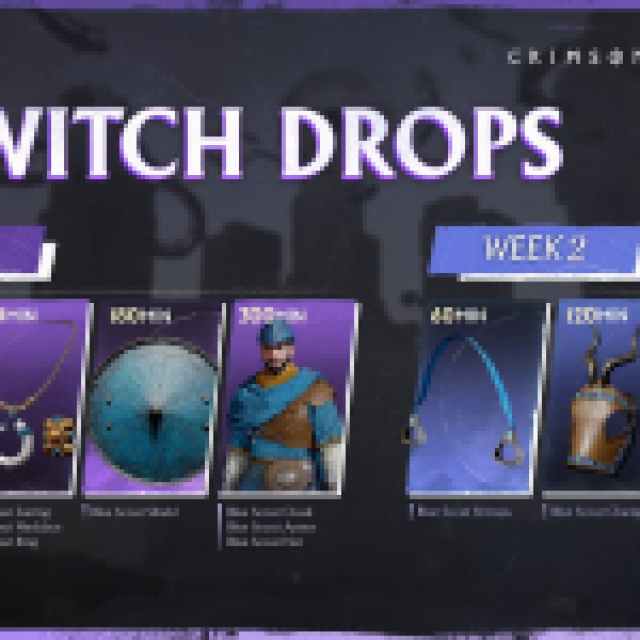
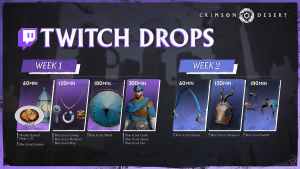
Pearl Abyss has announced two Twitch campaigns for Crimson Desert, each running for a week. Here are the rewards and requirements for both.
Crimson Desert Week 1 Campaign
| Item | Item Image | Total watched minutes required |
|---|---|---|
| Braised Meat x10 Blue Scout Lantern | 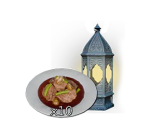 | 60 Minutes (1 Hour) |
| Blue Scout Earring Blue Scout Ring Blue Scout Necklace | 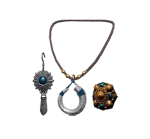 | 120 Minutes (2 Hours) |
| Blue Scout Shield | 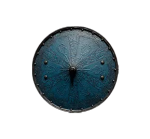 | 180 Minutes (3 Hours) |
| Blue Scout Cloak Blue Scout Armor Blue Scout Hat |  | 300 Minutes (5 Hours) |
Crimson Desert Week 2 Campaign
| Item | Item Image | Total watched minutes required |
|---|---|---|
| Blue Scout Stirrups | 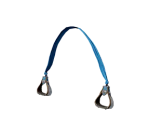 | 60 Minutes (1 Hour) |
| Blue Scout Champron | 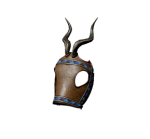 | 120 Minutes (2 Hours) |
| Blue Scout Saddle | 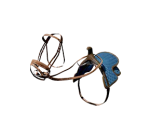 | 180 Minutes (3 Hours) |
Both are cosmetic items you can attach to your backpack. I really like how the Record Player looks, in particular.
Crimson Desert Twitch Drops Schedule
| Twitch Campaign | Schedule |
|---|---|
| Crimson Desert Week 1 Campaign | March 19, 2026 – March 25, 2026 |
| Crimson Desert Week 2 Campaign | March 26, 2026 – April 1, 2026 |
How to Claim Twitch Drops for Crimson Desert
To claim Twitch drops for Crimson Desert, you need to connect your Twitch account with the Pearl Abyss website and claim the drops for your platform.
- Head over to the following link and sign in to Twitch.
- Once you’ve signed in with Twitch, head over to any Crimson Desert stream with drops enabled and watch the stream (or put it on in the background) for the specified time. 300 minutes in this case, which is approximately five hours.
- You can keep track of each drop’s progress in your Twitch inventory.
- Once you have watched the specified time, you’ll see the “Claim Now” button on the same inventory page, located over the items.
- After that, head back to this page and scroll down to the “Check My Rewards” section.
- Select your desired platform (Steam/PS5/Xbox). For Steam, you’ll receive the reward immediately in-game; for other platforms (PS5, Xbox, Epic Games), you’ll receive a coupon code. You can claim the item in-game once you register the coupon code on each respective platform.
- Claiming the coupon for the PS5:
- Go to the PlayStation Store.
- Tap the menu icon in the top right, then select Redeem Code.
- Enter the 12-digit code.
- Claiming the coupon for Xbox Series S|X:
- Go to the Store, then select Redeem code in the left menu.
- Enter the 25-character code.
- Claiming the coupon for the PS5:
For now, only two launch campaigns have been announced, but I’m sure Pearl Abyss has more planned for later.


