
How To Disable Film Grain in Resident Evil Requiem on PC
Downright essential!


Resident Evil Requiem is one of the most technically impressive titles we’ve seen so far on the RE Engine, and it has a wealth of options to tweak. You can disable a few post-processing effects in the PC version, but film grain can’t be disabled through the settings.
Thankfully, this has been addressed thanks to the mod, so here is how you can disable film grain in Resident Evil Requiem for a much sharper and clearer image.
Disable Film Grain in Resident Evil Requiem on PC
The excellent REFramework tool has been updated for Resident Evil Requiem, which means mods can now be created and run in-game through it. One of these mods, created by Nexus Mods user asdt123123, disables film grain from the presentation. Here is how you can install that:
Step 1: Install REFramework
First, you need to install REFramework (by praydog) to load the mod.
- Head over to the following GitHub link, and in the latest release, click on RE9.zip under Assets
- Extract the downloaded zip file where Resident Evil Requiem is installed.
That’s all you need to do to install REFramework.
Step 2: Install the “No Film Grain” Mod
- Head over to the following Nexus Mods link and download the zip file for the mod. You will need a free account to do this.
- Extract the zip file (No Film Grain-18-1-0-0-1772264739.zip) where Resident Evil Requiem is installed.
- Launch Resident Evil Requiem.
- The REframework window will automatically pop up on the left side of the screen, which you can hide or bring back by pressing the Insert (Ins) key.
- The mod is enabled by default, and you don’t need to check anything.
Here’s a quick comparison of the mod in action:
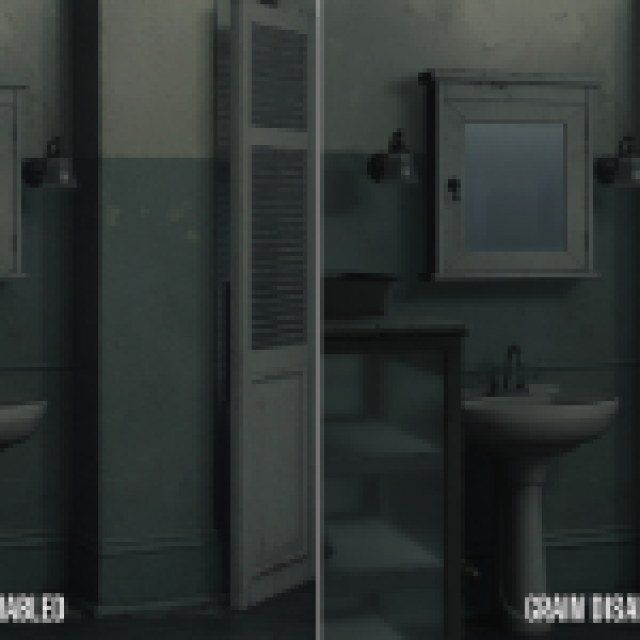
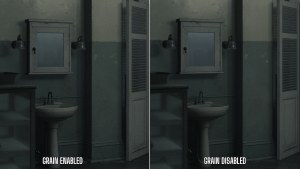
Note the lack of grain on the mirror, the wall, and the sink. It’s more apparent in motion, but the mod does an excellent job of removing most of the grain from the presentation.
I’ve uploaded the screenshots on Imgsli as well, so you can see them in higher resolution and zoom in to see the differences.
Adjust FOV in Resident Evil Requiem
In addition to loading mods, REFramework has several basic features that you can mess around with in Resident Evil Requiem, including:
- Free cam.
- FOV adjustment.
- Disable vignette.
- Ultrawide improvements.
- Black bar removal in ultrawide cutscenes.
All credits for REFramework go to praydog. You can learn about their work on their Patreon or GitHub pages. Make sure to check out the releases page whenever you can to see if there is an updated version of REFramework available, as it might have improvements and new features.
How To Disable the Mod
If you want to disable the mod for any reason, it’s pretty simple. Head over to the following folder within the Resident Evil Requiem installation:
\RESIDENT EVIL requiem BIOHAZARD requiem\reframework\autorun
Here, delete the disable_film_grain.lua file. If you ever want to enable the mod again, this is the file you need, and it comes in the zip folder for the mod.
I think this mod is really useful because it cleans up the image in Resident Evil Requiem quite a bit. The grain is pretty distracting and makes the game look a bit off. I hope that the developers add a toggle in-game like they have for other post-processing effects like chromatic aberration, depth of field, lens flare, and more.


