
Resident Evil Requiem Complete Controls for PC and Controller
Finally, camera acceleration slider!


Resident Evil Requiem is out now on PC and consoles, and one of the best releases of the year so far, scoring a perfect 10/10 from us. With dual protagonists, each with two camera modes and unique mechanics, there is a lot to take in mechanically.
To give you a quick reference to all the systems and functions, here are the complete controls for Resident Evil Requiem, whether you prefer playing it on keyboard and mouse or any type of controller.
Resident Evil Requiem Complete Controls for Controller
Here are the complete controls for Resident Evil Requiem, whether you’re playing on an Xbox, PlayStation, or Switch controller.
| Action | Xbox | PlayStation | Switch |
|---|---|---|---|
| Open Map | View | Touchpad (Map equivalent) | – |
| Pause Menu | Menu | Options | + |
| Aim | LT | L2 | ZL |
| Attack | RT | R2 | ZR |
| Parry / Ready Melee Weapon | LB | L1 | L |
| Restore Health | RB | R1 | R |
| Move | Left Stick | Left Stick | Left Stick |
| Run or Walk | Press Left Stick (LS) | Press L3 | Press Left Stick |
| Quick Turn | LS + B | L3 + Circle | Left Stick + A |
| Flashlight | D-Pad Up | D-Pad Up | D-Pad Up |
| Select Weapon | D-Pad Left / Right | D-Pad Left / Right | D-Pad Left / Right |
| Items Menu | Y | Triangle | X |
| Interact | A | Cross (X) | B |
| Cancel | B | Circle | A |
| Reload | X | Square | Y |
| Look | Right Stick | Right Stick | Right Stick |
| Crouch | Press Right Stick (RS) | Press R3 | Press Right Stick |
Resident Evil Requiem Complete Controls for Keyboard and Mouse
Here are the complete controls for Resident Evil Requiem if you’re playing on a keyboard and mouse.
| Action | Keyboard / Mouse |
|---|---|
| Run or Walk | W / A / S / D |
| Look | Mouse Movement |
| Run | Shift |
| Crouch | Ctrl |
| Quick Turn | X |
| Aim | Right Mouse Button |
| Attack | Left Mouse Button |
| Parry / Ready Melee Weapon | Space |
| Select Weapon | Mouse Wheel Scroll |
| Reload | R |
| Interact | F |
| Open Map | M |
| Items Menu | Tab |
| Pause Menu | P |
| Flashlight | G |
| Restore Health | Q |
Can You Rebind Controls in Resident Evil Requiem?
Yes, you can completely rebind controls in Resident Evil Requiem for both keyboard and mouse, as well as controllers.
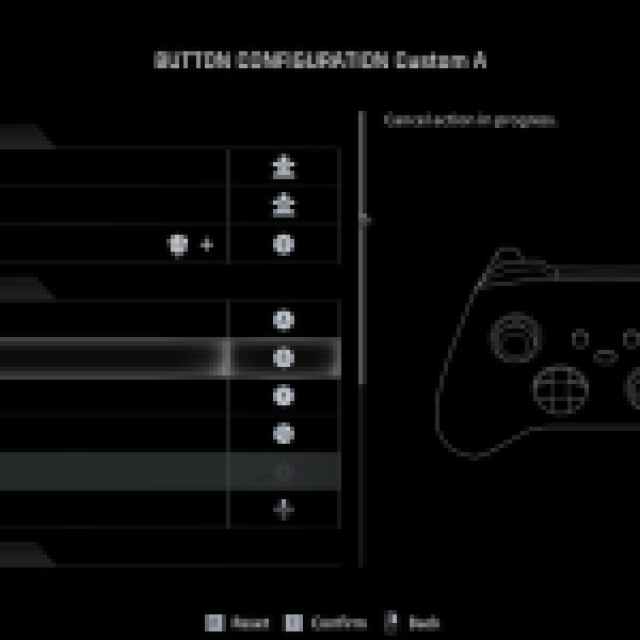
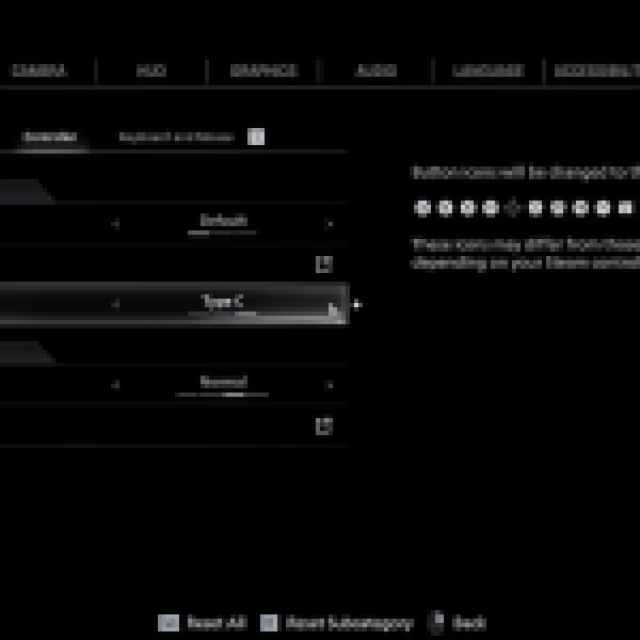
You can also switch between button prompts for Xbox, PlayStation, and Nintendo Switch 2.
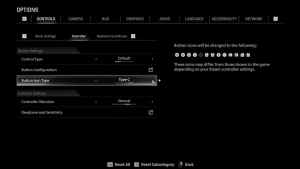
Resident Evil Requiem Controller Support on PC
On PC, Resident Evil Requiem has native support for Xbox, PlayStation, and Switch controllers as well as appropriate button prompts for each controller type.
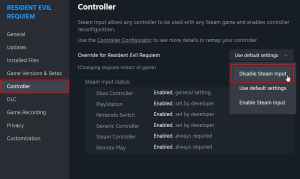
If you’re having any problem with your controllers not working properly, try disabling Steam Input for Resident Evil Requiem.
- Make sure Resident Evil Requiem isn’t running.
- Open Steam and navigate to your library.
- Here, right-click on Resident Evil Requiem and select Properties.
- In the Controller tab, select the Disable Steam Input option under Override for Resident Evil Requiem.
Overall, controller support is solid, though the lack of haptic feedback and adaptive trigger support on the DualSense is disappointing. Thankfully, the extensive customization options for controls, camera acceleration, dead zones, sensitivity, and aim assist, regardless of your preferred input type, are a welcome addition.


