
How to Take and Locate Screenshots in Hytale (Screenshot Location)
Say block!


Hytale is a great-looking game with plenty of sights you want to take in and capture. While it doesn’t have a dedicated photo mode (I hope it gets one), you can take in-game screenshots and store a copy of each on your PC.
Here is how you can take screenshots in Hytale and where you can find them locally.
How To Take Screenshots in Hytale
You can take screenshots in Hytale by pressing F12 on the keyboard. The screen will blink to confirm that you’ve taken a screenshot. You can hide all the HUD elements by pressing F8 before taking a screenshot.
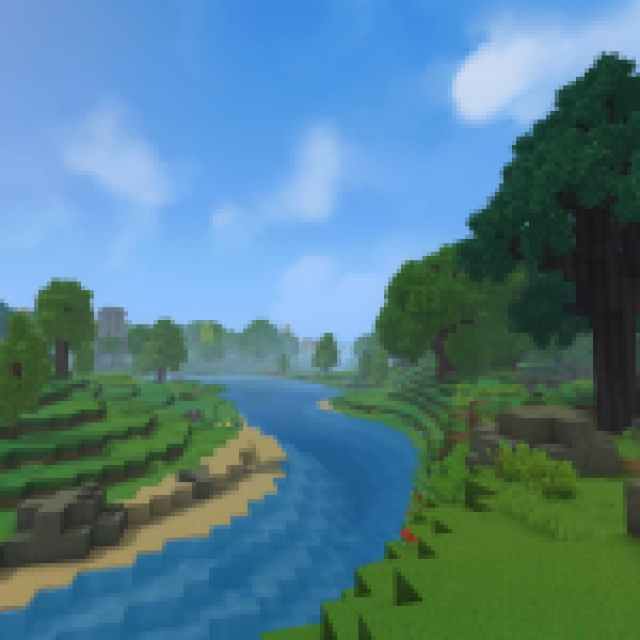
After you have taken the screenshot, press F8 again to bring back the HUD. It’s not a traditional photo mode, but it’s nice to be able to take screenshots with your character in view without any HUD elements. This works for both first and third-person modes, though your character will always face away from you, which is why I wish we had a proper photo mode.
Note: If you aren’t happy with the default screenshot key, you can always rebind it.
Hytale Screenshot Location on PC
Each screenshot you take is automatically stored locally at the following location on PC:
C:\Users\[Windows Username]\Pictures\Hytale Screenshots
Each screenshot’s default name will have the time and date it was taken. These aren’t compressed images either, and the quality is retained in them (PNG format). From what I can tell, you can’t change the default location for the screenshots, but it’s very easy to access, and you don’t need to jump through any complicated hoops to get to them.
I hope that the developers eventually add a dedicated photo mode as well because Hytale can look really nice at times, especially compared to Minecraft. Thankfully, hiding the HUD is a good enough compromise for now, and you can take some really fun shots while you’re exploring, building, and battling. If you want to show off your creations to the community or just want to keep the memory for yourself, this is the way to do it.


