
Dispatch Save File Location for PC
Dispatch, I'm looking for some saves.


Dispatch, the superhero workplace narrative adventure from ex-Telltale developers, is out now on PC and PS5. The game features a star-studded cast with plenty of famous actors, both from film and games, and the PC version looks and runs great as well.
If you’re looking for your local progress data, either to back it up, move around, or even to send to the developers, here is the save file location for Dispatch.
Dispatch Save File Location
| Client | Save File Location |
|---|---|
| Steam | C:\Users\[Windows Username]\AppData\Local\Dispatch\Saved\SaveGames |
You can find the save data within the SaveGames folder, but I recommend backing up the entire folder instead of individual save (.sav) files. Each save slot will create an individual save file, so you don’t need to worry about backing up multiple profiles.
The same location can be accessed with the following address shortcut if you type it into Windows Run or Explorer:
%USERPROFILE%/AppData/Local/Dispatch/Saved/SaveGames
Does Dispatch Have Multiple Save Slots?
Yes, Dispatch supports multiple save slots, allowing you to create up to four profiles at any time. To access or create these, go to the episodes screen and press S on your keyboard or the View button on your controller to open the save slot section.
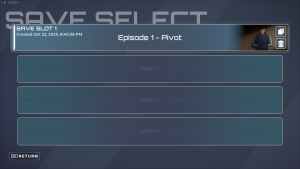
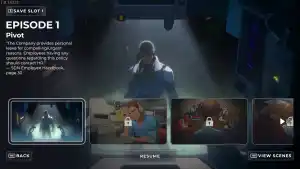
So if you want to see how your decisions would play out without wanting to delete your existing profile, this is a nice way to do it.
Dispatch Steam Features
Dispatch has the following features on Steam:
- Steam Family Sharing: If you own a copy of Dispatch, members of your Steam family can access it in their libraries.
- Steam Input: While the game has native support for multiple controllers, you can always use Steam Input to get third-party controllers to work without much trouble.
Dispatch Supported Languages
| Language | Interface | Full Audio | Subtitles |
|---|---|---|---|
| English | ✔️ | ✔️ | ✔️ |
| French | ✔️ | ✔️ | |
| Italian | ✔️ | ✔️ | |
| German | ✔️ | ✔️ | |
| Spanish – Spain | ✔️ | ✔️ | |
| Japanese | ✔️ | ✔️ | |
| Korean | ✔️ | ✔️ | |
| Simplified Chinese | ✔️ | ✔️ | |
| Portuguese – Brazil | ✔️ | ✔️ | |
| Russian | ✔️ | ✔️ | |
| Traditional Chinese | ✔️ | ✔️ |
Dispatch is also verified for the Steam Deck, and considering its very low requirements, it runs quite well on the handheld device. Thanks to Steam Cloud, you can easily pick up and share your progress across multiple devices, including the Deck.
If you’d like to see more helpful guides, news, or features from Prima Games, please consider adding us to your preferred sources.


