
Absolum Save File Location on PC
Saves? Saves.


Absolum is now available on PC and consoles, and it’s easily one of my favorite releases of the year. With jaw-dropping art and animation work, and some of the best combat in a rogue-lite, Absolum is endlessly fun and very light on the requirements as well.
While the game has support for cloud saves, if you’re looking for your local progress data, here is the save file location for Absolum.
Absolum Save File Location
| Client | Save File Location |
|---|---|
| Steam | C:\Users\[Windows Username]\AppData\Local\Absolum_SaveGame_Steam |
Inside the Absolum_SaveGame_Steam folder, you’ll find a bunch of backup saves as well as your main save files, including the configuration file. Ideally, you won’t need to touch any of these, but in case you want to back up your progress, for whatever reason, or manually move the files around between systems, then I recommend backing up the entire Absolum_SaveGame_Steam folder.
You can reach the same location above by entering the following address in Windows Run or Explorer:
%USERPROFILE%\AppData\Local\Absolum_SaveGame_Steam
Does Absolum Have Multiple Save Slots?
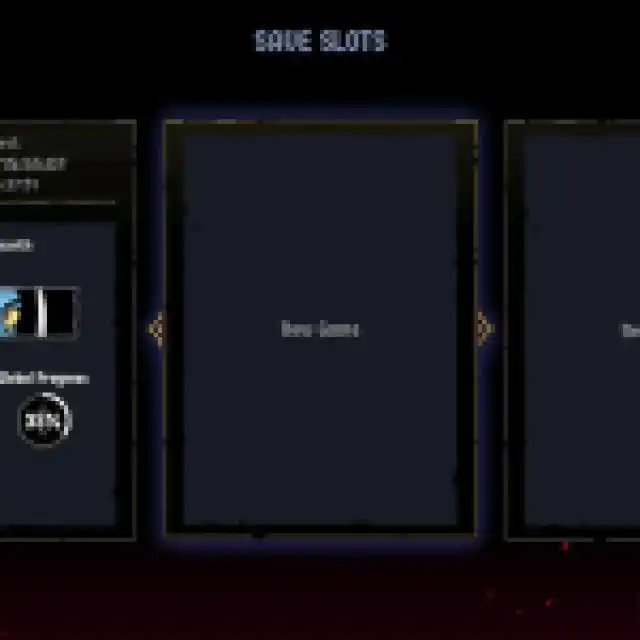
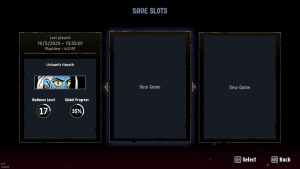
Yes, Absolum has multiple save slots, and you can have three active profiles at any given time. Each slot shows your current character, their radiance level, playtime, current location, and overall progress.
Does Absolum Have Autosave? Can You Exit Mid-Run?
Yes, Absolum has autosave, and you are free to exit the game mid-run. If you decide to close the game mid-run, the progress of that current node/room is reset, but the rest of your run’s progress remains intact.
Additionally, if you aren’t happy with your current run, you can always abandon it from the pause menu. This will count as a loss and add to your run history, similar to something like Slay the Spire. However, you still get to keep your rewards, like crystals. After abandoning the run, you will be teleported back to the Hearth.
Absolum Steam Features
On PC, Absolum has support for several Steam features:
- Steam Cloud: Your save files are uploaded to the Steam Cloud after you close the game and are downloaded on any other device you’ve signed into.
- Steam Family Sharing: If you own a copy of Absolum, members of your Steam family can access it in their libraries.
- Steam Input: While the game has native support for multiple controllers, you can always use Steam Input to get third-party controllers to work without much trouble.
Additionally, the game works great on the Steam Deck as well, making it the perfect game to enjoy in handheld mode and share progress with your PC.
If you’d like to see more helpful guides, news, or features from Prima Games, please consider adding us to your preferred sources.


