
How To Fix the Absolum Ultrawide Issue on PC
Ultrawide Karl!


Absolum has been out for a few weeks, and it’s already one of my favorite releases of the year. It’s a blast no matter where you’re playing it, but the PC version is arguably the best. It isn’t a demanding title, but it’s not a perfect experience for ultrawide users.
Thankfully, Lyall from the PC modding community has already added ultrawide support to Absolum, and here is how you can install their patch.
Fix the Absolum Ultrawide Issue on PC
The patch from Lyall adds ultrawide support for Absolum, along with the ability to use any resolution you want. This means that if you’re playing the game on Steam Deck, you can fill the entire screen for an even better experience.
Here is how you can install the patch:
- Make sure Absolum isn’t running.
- Head over to the following Codeberg link and download the latest patch file by clicking AbsolumFix_0.0.1.zip under “Downloads”.
- Head over to the following location within the Absolum installation folder and extract the zip file:
steamapps\common\Absolum
That’s all you need to do, and the next time you launch Absolum, you’ll be able to pick your desired resolution and play the game without any black bars at the sides. Here is a screenshot of Absolum running at 32:9 provided by Lyall.
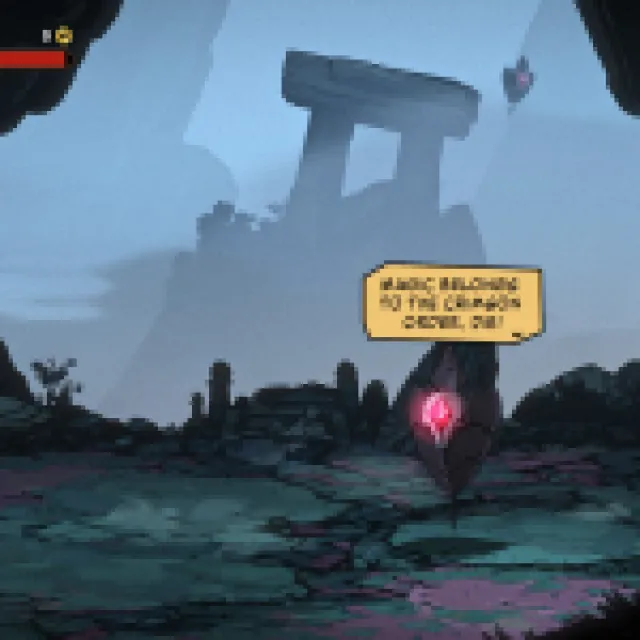

All credits go to Lyall for creating and testing the patch. Their contributions are invaluable for PC gamers, and you can learn about their work on their Patreon.
This patch also fixes the HUD at ultrawide resolutions, ensuring that none of the elements are cropped. If, for whatever reason, you want to remove the patch, simply delete the files that came with it.
While I hope that the developers consider adding ultrawide support in a future patch, it doesn’t seem likely. Considering the style of the game and the way its levels are designed, I don’t think it was ever framed for ultrawide resolution, and while this patch from Lyall removes that restriction, the actual fights still take place in the designated spots.
If you’d like to see more helpful guides, news, or features from Prima Games, please consider adding us to your preferred sources.


