
Hollow Knight Silksong Complete Controls for PC and Controller
No button to Shaw!


After years of waiting, Hollow Knight: Silksong is finally here, and it’s everything we wanted and more. Like the original game, Hollow Knight: Silksong is a blast on PC and supports multiple controllers, and if you prefer playing with the keyboard, that’s not a problem either.
Here are the complete controls for Hollow Knight: Silksong for controllers and keyboard, if you need a quick reference to every possible action.
Hollow Knight Silksong Complete Controls for Controllers
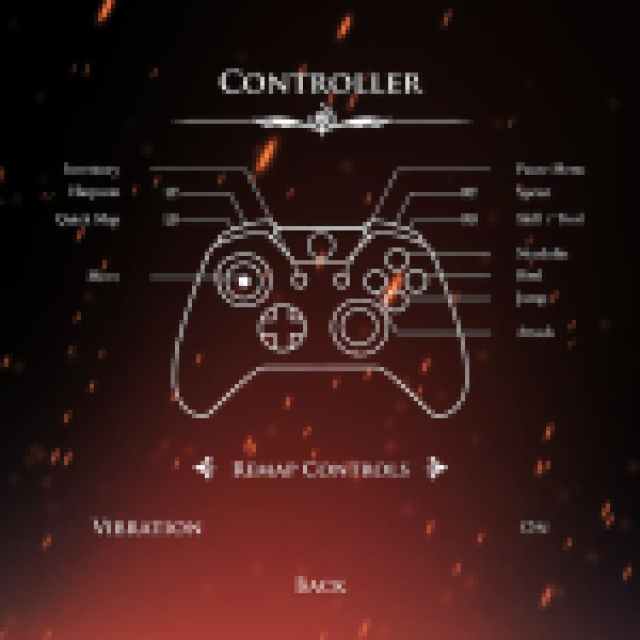
Here are the complete controls for Hollow Knight: Silksong if you’re playing on an Xbox or PlayStation controller.
| Action | Xbox Input | PlayStation Input |
|---|---|---|
| Needolin | Y | Triangle |
| Bind | B | Circle |
| Jump | A | X |
| Attack | X | Square |
| Inventory | View Button | Touchpad |
| Movement | Left Stick | Left Stick |
| Harpoon | LT | L2 |
| Quick Map | LB | L1 |
| Pause Menu | Menu Button | Options Button |
| Sprint | RT | R2 |
| Skill / Tool | RB | R1 |
Hollow Knight Silksong Complete Controls for Keyboard
Here are the complete controls for Hollow Knight: Silksong if you’re playing on a keyboard.
| Input | Action |
|---|---|
| Up | ↑ |
| Down | ↓ |
| Left | ← |
| Right | → |
| Jump | Z |
| Attack | X |
| Sprint | C |
| Bind | A |
| Inventory | I |
| Map | M |
| Crest | Q |
| Quick Map | Tab |
| Harpoon | S |
| Needolin | D |
| Skill / Tool | F |
| Challenge | V |
| Journal | J |
| Tasks | T |
Can You Remap Controls in Hollow Knight Silksong?
Yes, you can completely remap controls, whether you prefer playing on a keyboard or controller. You can freely remap these inputs in the individual section for each control type.

Hollow Knight Silksong Controller Support on PC
Hollow Knight: Silksong has native support for Xbox and PlayStation controllers on PC. I have tested the DualShock 4 and the Xbox Series controller, and both work without any issues. The game also has correct in-game prompts for both controller types.
If you’re unable to get your PlayStation controller to work for any reason, simply disable Steam Input, as the developers have set up native profiles for the DualShock 4 and DualSense. If you have a DualSense Edge, however, you might need to enable Steam Input because support for that is a bit uneven on Steam.
While a controller is recommended on the Steam page for Hollow Knight: Silksong, the game works perfectly fine on a keyboard as well, and you can customize the controls to your heart’s content. I’m very happy with how snappy and fluid the controls are, and everything works as you would expect.
If you’d like to see more helpful guides, news, or features from Prima Games, please consider adding us to your preferred sources (available to users in the US or India). This new feature will enable you to see more of us in your search results and news feeds, and will greatly help us navigate these difficult times in gaming media. We thank you, dear readers!


