
The King Is Watching Save File Location and How To Reset Progress
Rewriting my decisions.


The King Is Watching is a dangerous game for my time, and I’ve already sunk more hours into it than I care to admit. It’s fun, polished, and endlessly entertaining, but it’s missing some quality-of-life features, which I hope to see added in future updates.
Currently, you can’t reset your progress in The King Is Watching, for which you’ll need to access the save file location on PC.
The King Is Watching Save File Location
| Client | Save File Location |
|---|---|
| Steam | C:\Users\[Windows Username]\AppData\Local\The_king_is_watching_steam\Release |
Inside the Release folder, you’ll find several data files, each tracking different parts of your progress. One of these is challenges, progress, and general save data. The main folder includes a copy of any screenshots you’ve taken as well. For the sake of ease, I recommend copying the entire “The_king_is_watching_steam” folder if you want to move around your files.
You can access the same location by entering the following address in Windows Explorer, or Windows Run:
%USERPROFILE%/AppData/Local/The_king_is_watching_steam
Reset Progress in The King is Watching
Unfortunately, the game doesn’t have an in-game option to reset progress, which is why deleting the save files is the way to do it. However, since The King is Watching has support for Steam Cloud, you want to disable it first before deleting the save files.
- Open your Steam library and right-click on The King is Watching.
- Select Properties and in the General tab, uncheck STEAM CLOUD.
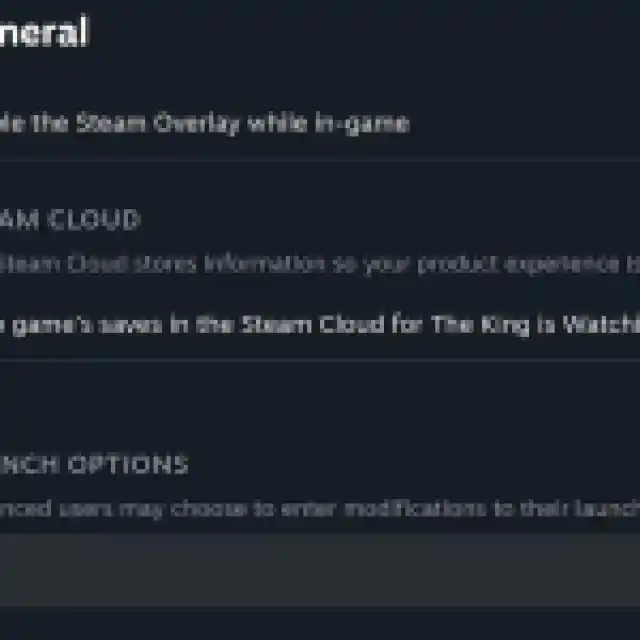

- Now, head over to the save file location:
C:\Users\[Windows Username]\AppData\Local\The_king_is_watching_steam\Release
- I highly recommend creating a backup of the main folder just in case.
- With the backup created, delete everything in the The_king_is_watching_steam folder.
- Launch the game, and your progress will be reset as if you’re launching the game for the first time. Play a bit to create the new saves.
- Close The King is Watching and turn Steam Cloud back on.
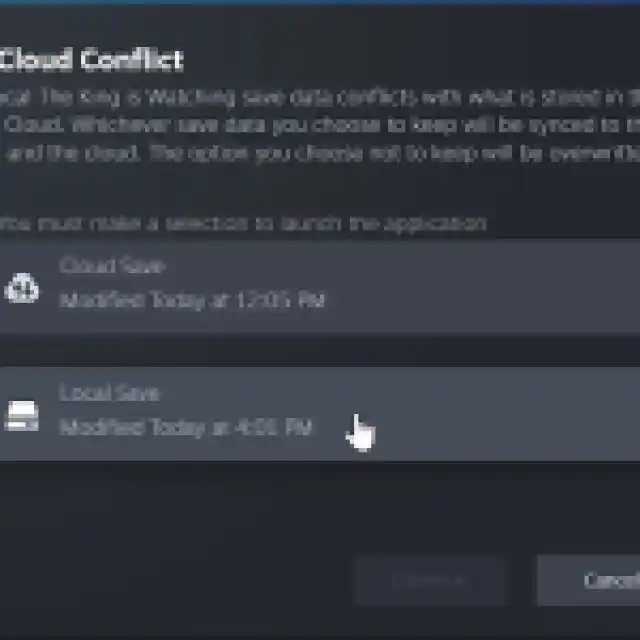
- After that, launch The King is Watching again, and Steam will tell you there’s a save conflict.
- Select your local data instead of the Steam Cloud one so that it updates the Steam Cloud with the new profile data.

That’s all you have to do. I hope that the developers consider adding a reset progress option in an update or the ability to create multiple progress profiles. It’s a pretty common feature in many roguelikes, and, oddly, it’s missing here.
The developers have confirmed that the ability to save midgame is coming, and I hope that more quality-of-life improvements are planned as well.


