
How To Fix the Ultrawide Issue in Persona 5 The Phantom X
Ultrawide Persona.


Persona 5: The Phantom X looks and runs quite a lot like Persona 5: Royal on PC. The PC release is in good shape and is pretty light on hardware as well. It can run on most systems without a hitch, but not everything about its presentation is perfect.
If you’re playing Persona 5: The Phantom X on an ultrawide monitor, you’ve probably noticed that there are black bars on the side if you’re playing on something above 21:9, which can be pretty distracting.
Fixing the Ultrawide Issue in Persona 5 Phantom X
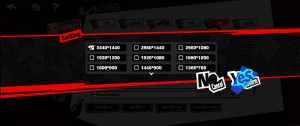
Surprisingly, Persona 5: The Phantom X does have support for ultrawide monitors, but it’s limited to 21:9. This is strange because, on an engine level, the game supports any resolution, but it isn’t accessible to players by default.

Thankfully, this can be easily fixed using the handy Borderless Gaming tool.
- Head over to the following GitHub page and download the latest free release under Assets (BorderlessGaming9.5.6_admin_setup.exe)
- Install Borderless Gaming, and it will show up in your taskbar with a “BG” icon
- Now, launch Persona 5 Phantom X, and set the Display Mode to Windowed. This is essential for using Borderless Gaming.
- After this, minimize Persona 5 Phantom X, and open Borderless Gaming from the taskbar. It’s pretty light and doesn’t take a whole lot of RAM
- In the Applications, select Persona 5 Phantom X and click the forward arrow to add it to Favorites.
- Now, right-click on it to make sure “Fullscreen” and “Auto-Maximize” are checked.
That’s all you need to do, and Persona 5: The Phantom X will automatically be adjusted to your screen. You can also achieve the same effect by editing the registry file, but this is far easier in practice.
Outside of this, Persona 5: The Phantom X is a pretty solid port overall and even runs on the Steam Deck with a solid 60 FPS with a mix of medium and high settings.
There are tons of settings to tweak with support for unlocked framerate if you don’t enable vsync. It has support for FSR as well, but I wish they would add DLSS too, though, like I said, it’s not exactly a demanding title to run. While I’m hoping that the developers will list resolutions beyond 21:9, I wouldn’t hold my breath and just use the Borderless Gaming tool for the time being.


