
How To Get the Solo Leveling Arise Overdrive Twitch Drops
Out now!

Solo Leveling: ARISE OVERDRIVE is out now for everyone on PC and console. It is a follow-up to Solo Leveling Arise from last year, now available on more platforms with a reduced focus on gacha elements and a premium standard price instead.
To celebrate its launch, Netmarble has partnered up with Twitch for a drops campaign with plenty of neat items to collect. Here is how you can participate in the campaign and get these drops for Solo Leveling: ARISE OVERDRIVE.
Solo Leveling Arise Overdrive Twitch Drops
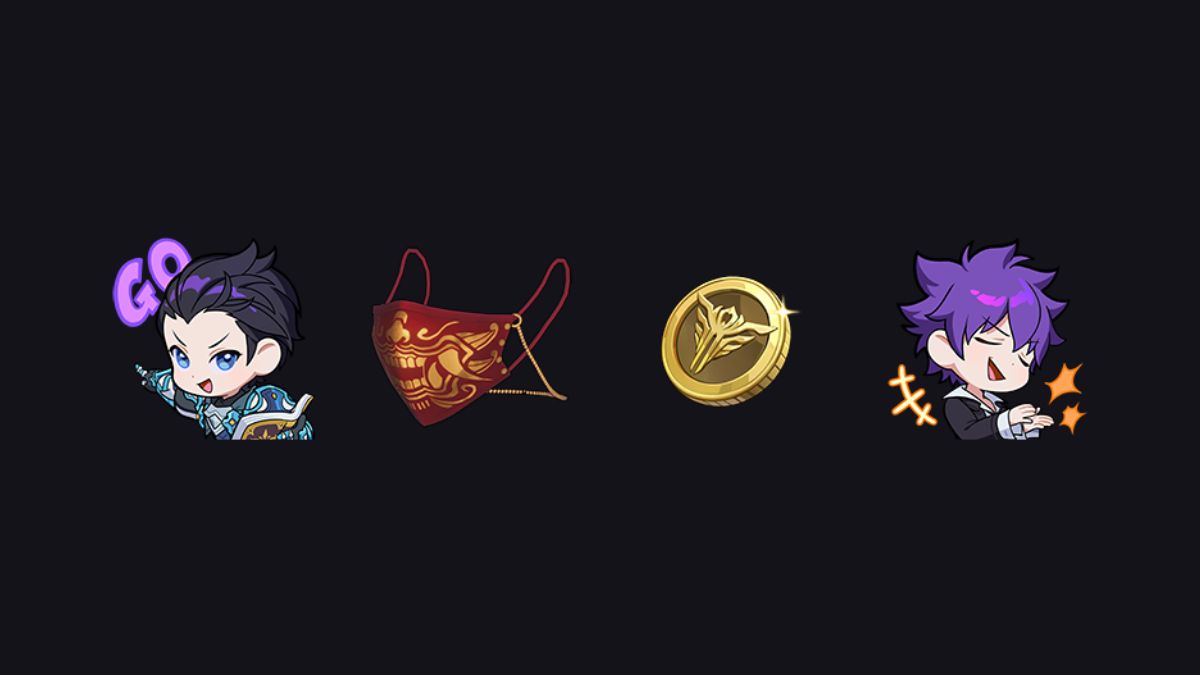
The Launch Celebration Drops campaign for Solo Leveling: ARISE OVERDRIVE is currently active and includes the following reward:
| Item | Item Image | Total watched minutes required |
|---|---|---|
| 1,000 Gold |  | 30 Minutes |
| Emoji: Kang Taeshik – You’re the Best |  | 60 Minutes (1 Hour) |
| Emoji: Min Byung-Gu – Let’s Go |  | 120 Minutes (2 Hours) |
| [Passionate] Chain Mask |  | 240 Minutes (4 Hours) |
So that’s two emojis, a good chunk of change, and a cosmetic item. It will take a while to unlock everything, but thankfully, there is plenty of time to get all four items.
Solo Leveling Arise Overdrive Twitch Drops Schedule
The current Twitch Drops campaign for Solo Leveling: ARISE OVERDRIVE is active from November 21, 2025, to December 19, 2025.
How to Claim Twitch Drops for Solo Leveling Arise Overdrive
You need to connect your Overdrive account with Twitch to become eligible for these rewards and the campaign itself.
- Head over to the following link and log in with either your Steam or Xbox account with your Twitch account. It’s pretty straightforward, and there are dedicated buttons for each platform.
- Once you’ve linked your game and Twitch accounts, head over to any Solo Leveling: ARISE OVERDRIVE stream with drops enabled and watch the Stream (or put it on in the background) for the specified time, a total of 240 minutes if you want everything.
- You can keep track of the drop progress in your Twitch inventory. If the progress bar doesn’t update automatically, refresh the page.
- Once you have watched the specified time, you’ll see the “Claim Now” button on the same page, which will appear over the items one by one.
- After you claim the items, they will show up in your inventory.
If you’d like to see more helpful guides, news, or features from Prima Games, please consider adding us to your preferred sources.


