
How to Transfer Metaphor ReFantazio Demo Save Files on Steam Deck
Pretty simple!


Metaphor ReFantazio is now available across all platforms, and it’s off to a pretty solid start on PC. The demo helped and gave players a good chunk of early content to explore and carry to the main release. However, if you played the demo on the Steam Deck, the game doesn’t detect the old progress data. Here is how you can manually transfer your demo progress of Metaphor ReFantazio on the Steam Deck.
Transfer Metaphor ReFantazio Demo Save Files on Steam Deck
To transfer the demo files of Metaphor ReFantazio on the Steam Deck, we’ll have to manually copy the demo save file, and move it to the new directory created for the full release of Metaphor ReFantazio.
Follow the steps below to do this:
- Make sure you have launched the launch version of Metaphor ReFantazio at least once to generate the local data folders
- Now, in Game Mode, head over to your Steam library
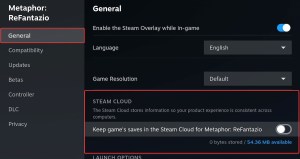
- Select Metaphor ReFantazio, press the options button, and select Properties
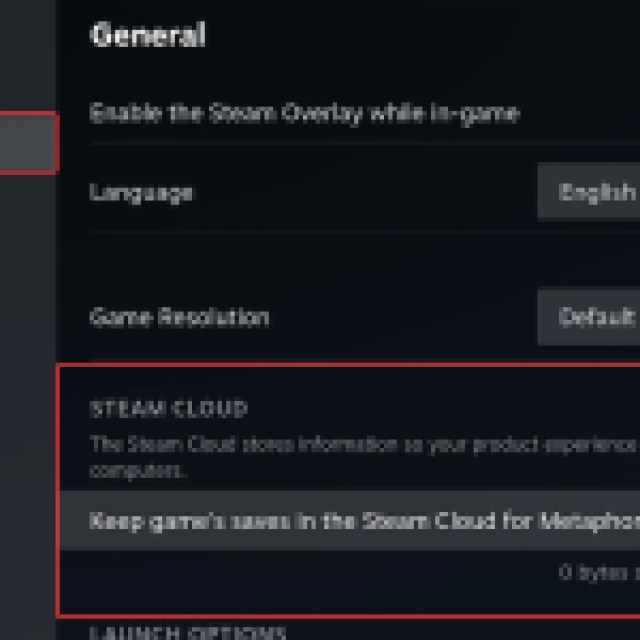
- Here, in General, disable Steam Cloud (for now)
- First, switch to Desktop Mode on the Steam Deck, and open Dolphin (file explorer)
- Head over to the following location:
primary/steamapps/compatdata/3130330/pfx/drive_c/users/steamuser/AppData/SEGA/METAPHOR/Steam/[STEAM ID]
- Open the folder with your unique Steam ID, and in the folder, copy all the files with the .sav extension
- After that, head over to the following location
primary/steamapps/compatdata/2679460/pfx/drive_c/users/steamuser/AppData/SEGA/METAPHOR/Steam/[STEAM ID]
- Paste the .sav files you previously copied and paste them into the launch version’s folder with your Steam ID
- Now, head back to Game mode, and start Metaphor ReFantazio
- Start a new game, and you’ll receive a prompt asking you to import your local demo data
- Select Yes, and progress through till you reach a save point
- Close the game, and head back to its Properties in the Steam library
- Toggle Steam Cloud back on, and when you launch Metaphor ReFantazio again, select local saves to be updated to the cloud
That’s all you need to do for the game to detect the demo save files while playing on the Steam Deck or Linux. This isn’t how it works on PC, and it’s a seamless process there.
If you’re interested in backing up your progress on PC, though, here is the save file location for Metaphor ReFantazio.


