
How To Install Mods for Dawn of War Definitive Edition
Mod it up!


Like the original, Warhammer 40,000: Dawn of War Definitive Edition has full support for mods, allowing players to customize their experience to their liking, whether it’s the appearance, balancing, or general quality-of-life improvements.
The modding scene for the original is still very active, and the remaster makes good use of that. However, modding Warhammer 40,000: Dawn of War Definitive Edition is a bit different than the original, and here is how you can install mods for the remaster.
Installing Mods for Dawn of War Definitive Edition
Dawn of War Definitive Edition has support for user-created mods, which are pretty simple to install, but you need to take a few extra steps to ensure that your mods are separated for this release and managed appropriately. Follow the steps below to install mods for the remaster:
Create Mods Folder
First things first, to make sure everything is organized, you’re encouraged to now create a dedicated mods folder, but not in the install directory.
- Head over to the following location
C:\Users[Windows Username]\AppData\Roaming\Relic Entertainment\Dawn of War\
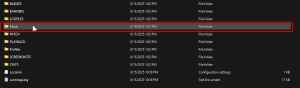
- Here, create a new folder called “Mods” and this folder should now look like this:
- Now, inside the Mods folder, you will create individual folders for each mod.
- So, for instance, you want to install the Tyranids mod, create a new folder called Tyranids and place the mod files inside of it, instead of the root Mods folder.
- This is very important and will keep everything neat and organized.
Download Mods
If you have been modding the original release, then this shouldn’t be difficult at all for you. To get mods for Dawn of War, simply head over to its dedicated section on ModDB and download the mod files you desire.
A few things to know about mods with the new release:
- Now, it’s possible that not every mod that worked for the original will work with the remaster and might need to be updated by the author.
- I recommend checking out the comments and any additional notes provided by the author if you run into any issues.
- Be patient for the first weeks of release, and you’ll see support added for the new release in time.
- Additionally, some mods require other mods as dependencies, so make sure you always have those placed, even if those aren’t updated to support the new version.
That’s about it when it comes to installing mods for the Warhammer 40,000: Dawn of War – Definitive Edition.


