
How To Get Twitch Drops for The Division Resurgence
All the goodies!


The Division Resurgence, the mobile title set in The Division series, is out now on Android and iOS devices and brings an open-world third-person shooter experience to the small screen. As with most Ubisoft titles, the publisher has partnered with Twitch for a drops campaign with a few goodies.
Here is how you can get the Twitch drops for The Division Resurgence and add a few customization items and currency to your inventory.
The Division Resurgence Twitch Drops
Currently, the Division Resurgence Release campaign is active and includes the following rewards:
| Reward | Image | Total watch minutes required |
|---|---|---|
| Canadian Tuxedo – Hat | 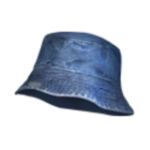 | 30 Minutes (0.5 Hour) |
| Dionysus Rounded – Padding | 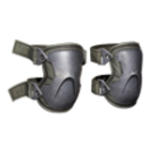 | 60 Minutes (1 Hour) |
| Phoenix Credits – Currency |  | 90 Minutes (1.5 Hours) |
| Canadian Tuxedo – Outerwear | 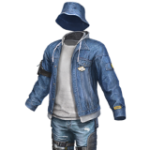 | 120 Minutes (2 Hours) |
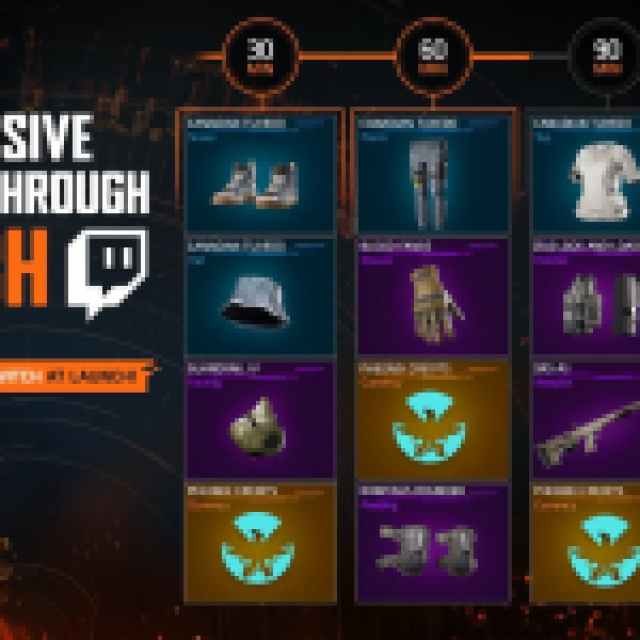
Now, even though there are only four items in the actual Twitch platform, Ubisoft is marketing 16 items on their socials and official website. Only four of those are actually part of the live campaign on Twitch, which is a bit confusing. Either those items are planned for later campaigns, or the campaign hasn’t been properly initialized on Twitch.

The Division Resurgence Twitch Drops Schedule
The current Twitch campaign for The Division Resurgence is available to participate in from March 31, 2026, to April 14, 2026.
How to Claim Twitch Drops for The Division Resurgence
You need to connect your Ubisoft account with Twitch to become eligible for these rewards and the campaign itself.
- Head over to the following link to both accounts, Ubisoft and Twitch.
- Once you’ve linked your Ubisoft and Twitch accounts, head over to any Division Resurgence stream with drops enabled and watch the Stream (or put it on in the background) for the specified time, a total of 120 minutes if you want everything.
- You can keep track of the drop progress in your Twitch inventory. If the progress bar doesn’t update automatically, refresh the page.
- Once you have watched the specified time, you’ll see the Claim Now button on the same page over the items one by one.
- After you claim the items, launch The Division: Resurgence on your phone and open the Events tab to claim the rewards there.
A few things to keep in mind about the drops campaign:
- It can take a day or two before these show up in your inventory, but it’s usually pretty fast.
- You can’t earn the drops faster by watching multiple streams.
- You can’t link multiple Ubisoft accounts to your Twitch account.
I hope that the developers can sort out the issue with the drops soon, or at least provide some clarity as to what the 16 items mean, since, for now, you can only earn four items from the campaign, and those don’t even complete the Tuxedo set.


