
How To Enable Cinematic Camera During AutoDrive in Cyberpunk 2077
I (don't) Drive.


CD Projekt Red has been consistently updating Cyberpunk 2077, polishing its rough edges and adding a plethora of new content every few months. With the latest Patch 2.3, they’ve introduced new customization features, bug fixes, and improvements to core systems like the driving mechanics.
One of the standout new features is AutoDrive, which lets you sit back and enjoy the many sights and streets of Night City without touching the wheel. Here’s how AutoDrive works in Cyberpunk 2077, and how to enable the cinematic camera for an even more immersive cruise through the city.
How To Enable AutoDrive in Cyberpunk 2077
AutoDrive lets you get around the city in your vehicle without needing to manually drive the vehicle yourself. To enable AutoDrive in Cyberpunk 277, get in your vehicle, make sure it’s on the road, and hold H (PC) / Left Stick (consoles).
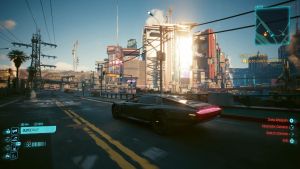
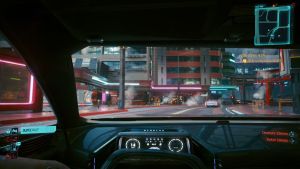
Once activated, your vehicle, whether it’s a car or motorcycle, will start driving automatically. There are two ways to approach this:
- If you’ve set a location on your map, whether it’s a job objective or a placed pin, AutoDrive will take you there without any input.
- If you don’t have a set destination, AutoDrive will simply take you on a ride around Night City until you deactivate it.
You can switch between different camera positions by pressing the d-pad right on your controller. AutoDrive is automatically disabled during combat and if your vehicle has taken extensive damage. Again, your vehicle has to be on the road; otherwise, AutoDrive won’t work.
Enable Cinematic Camera During AutoDrive in Cyberpunk 2077
If the default camera options aren’t enough, you can enjoy the ride with an enhanced cinematic camera designed specifically for AutoDrive. To enable it, simply hold Q on PC or D-Pad Right on consoles while in AutoDrive.

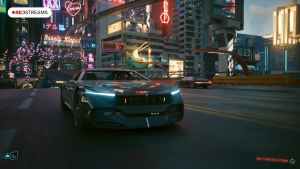
This hides most of the UI and activates the cinematic camera, similar to what you’d see in GTA V, Red Dead Redemption 2, or replay modes in many racing games.
Can You Use Photo Mode During AutoDrive?
Yes, you can use photo mode during the AutoDrive mode in Cyberpunk 2077.
Overall, this is one of the neat features introduced in Cyberpunk 2077’s latest 2.3 update. You can also call in self-driving Delamain cabs if you don’t want to use your vehicle. To read everything else added and fixed in the update, check out the patch notes.


