
How To Change the Language in Stronghold Crusader Definitive Edition
Thanks Steam, I guess?


After the excellent Stronghold: Definitive Edition, Firefly Studios is back with another remaster, this time with Stronghold Crusader: Definitive Edition. This rerelease features a host of mechanical and technical improvements, quality-of-life enhancements, and additional content, all neatly packaged for a very attractive price.
Despite all these improvements, there are a few things that aren’t accessible in-game. Here is how you can change the language in Stronghold: Definitive Edition.
Change the Language in Stronghold Crusader Definitive Edition
The remastered release of Stronghold Crusader does not have an in-game setting for language options. Instead, you’ll have to use the Steam client to switch between the different supported languages available for the game.
- Right-click Stronghold Crusader: Definitive Edition in your Steam library section and select Properties.
- Now, in the General tab, look for the language drop-down right below the overlay toggle and select your desired language from the list.
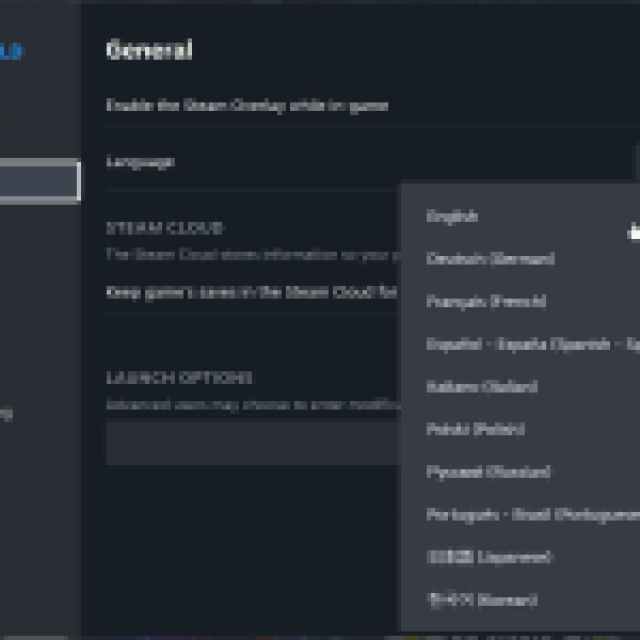
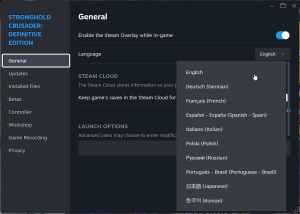
Sadly, there is no way to change the language in-game. There are several options to choose from, thankfully, even if the method is a bit tedious.
Supported Languages Stronghold Crusader Definitive Edition
Currently, Stronghold: Definitive Edition has support for the following languages on PC:
| Interface | Full Audio | Subtitles |
|---|---|---|
| English | English | English |
| French | French | French |
| Italian | Italian | Italian |
| German | German | German |
| Spanish | Spanish | Spanish |
| Czech | Czech | |
| Dutch | Dutch | |
| Hungarian | Hungarian | Hungarian |
| Japanese | Japanese | |
| Korean | Korean | |
| Polish | Polish | Polish |
| Portuguese – Brazil | Portuguese – Brazil | Portuguese – Brazil |
| Russian | Russian | Russian |
| Simplified Chinese | Simplified Chinese | |
| Swedish | ||
| Thai | Thai | |
| Traditional Chinese | Traditional Chinese | |
| Turkish | Turkish | |
| Ukranian | Ukranian | |
| Arabaic | Arabaic |
I hope that the developers consider adding the specific option in-game because most players aren’t familiar with switching languages through the Steam client, especially if the language the game defaults to is something they’re not used to.
Outside of that, though, the overall support for several languages is commendable, with nine fully voiced languages. I doubt they’ll add more at this point, though, because that will likely add to a lot of additional work.
I’m also glad that despite releasing a new remastered version of the game, the developers haven’t delisted the older versions. So if you don’t like some of the changes of the new version, you can always play the original HD release from 2012.


