
ARC Raiders Complete Controls for PC and Controller
Your cheat sheet!


After several successful betas and server slams, ARC Raiders is now officially out on PC and console. The extraction shooter from Embark Studios delivers an impressive Unreal Engine 5 experience, especially on PC, where a wealth of settings lets players fine-tune the experience.
Whether you prefer a controller or the tried and tested keyboard and mouse for PC, here are the complete controls for ARC Raiders for both input types.
ARC Raiders Complete Controls for Keyboard and Mouse
Here are the complete controls for ARC Raiders if you’re playing on a keyboard and mouse.
| Action | Input |
|---|---|
| Menu | Esc |
| Items | Q |
| Weapon 1 | 1 |
| Weapon 2 | 2 |
| Melee Weapon | 3 |
| Reload Weapon | R |
| Interact | E |
| Flashlight | F |
| Emote | G |
| Unarmed | H |
| Toggle Global Ping | K |
| Inventory | Tab |
| Move | W / A / S / D |
| Sprint | Left Shift |
| Crouch (Hold) | Ctrl |
| Crouch (Toggle) | C |
| Slide (While Sprinting) | Ctrl |
| Dodge Roll | Left Alt |
| Shoulder Swap | X |
| Toggle Crouch | C |
| Proximity Chat | B |
| Toggle Walk | V |
| Jump | Space Bar |
| Push to Talk | Z |
| Map | M |
| Fire / Throw / Deploy | Left Mouse Button |
| Aim | Right Mouse Button |
| Ping | Mouse Scroll Wheel (Press) |
| Select Next Weapon | Mouse Scroll Up |
| Select Previous Weapon | Mouse Scroll Down |
ARC Raiders Complete Controls for Controller
Here are the complete controls for ARC Raiders, whether you’re playing on an Xbox or PlayStation controller:
| Action | Xbox | PlayStation |
|---|---|---|
| Fire / Throw / Deploy | RT | R2 |
| Ping | RB | R1 |
| Aim | LT | L2 |
| Items | LB | L1 |
| Inventory / Map (Hold) | View Button | Touchpad |
| Game Menu | Menu Button | Options Button |
| Unarmed (Hold) / Swap Weapons / Equip Weapon | Y | Triangle |
| Interact / Reload | X | Square |
| Crouch (Toggle) / Dodge Roll (Double Press) | B | Circle |
| Jump | A | X |
| Emote | D-Pad Up | D-Pad Up |
| Flashlight | D-Pad Right | D-Pad Right |
| Melee Weapon | D-Pad Left | D-Pad Left |
| Push to Talk (Proximity Voice Chat) | D-Pad Down | D-Pad Down |
| Move Character | Left Stick (Move) | Left Stick (Move) |
| Sprint (Toggle) | Left Stick (Press) | Left Stick (Press) |
| Camera | Right Stick (Move) | Right Stick (Move) |
| Shoulder Swap | Right Stick (Press) | Right Stick (Press) |
Can You Rebind Controls in ARC Raiders?
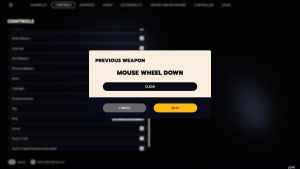
You can rebind keyboard and mouse controls on PC, but controller bindings are locked, unfortunately.

ARC Raiders Controller Support on PC
On PC, ARC Raiders has native support for Xbox and PlayStation controllers, as well as appropriate button prompts for each controller type. I’ve tested an Xbox Series controller as well as a DualShock 4, and both work properly.
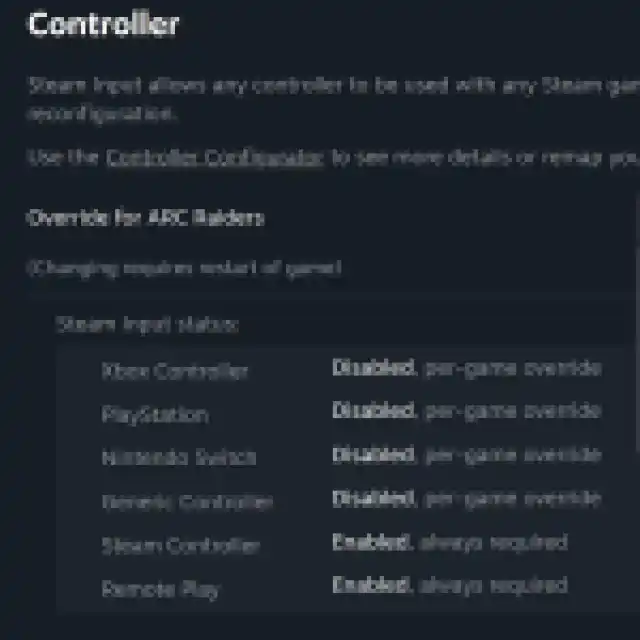
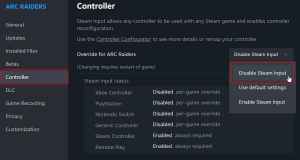
If you’re having any problem with your controllers not working properly, try disabling Steam Input for ARC Raiders.
- Make sure ARC Raiders isn’t running.
- Open Steam and navigate to your library.
- Here, right-click on ARC Raiders and select Properties.
- In the Controller tab, select the Disable Steam Input option under Override for ARC Raiders.
ARC Raiders is a blast to play, whether you’re playing on keyboard and mouse or a controller. The limited rebinding options are a bit disappointing, but controller support is solid.
If you’d like to see more helpful guides, news, or features from Prima Games, please consider adding us to your preferred sources.


