
JDM Japanese Drift Master Complete Controls for PC and Controller
Hit L1 for the NOS, man!


JDM: Japanese Drift Master is out now on PC via Steam and takes players to Japan in the fictional prefecture of Guntama. The title is developed on Unreal Engine 5 and features a mix of 27 licensed and unlicensed vehicles ready to drift the roads of Guntama.
The game has support for multiple input types, including controllers, keyboard and mouse, and steering wheels. If you need a reference to the default scheme, here are the complete controls for JDM: Japanese Drift Master.
JDM Japanese Drift Master Complete Controls for Controller
Here are the default controls for JDM: Japanese Drift Master, whether you’re playing on an Xbox or PlayStation controller.
| Action | Xbox | PlayStation |
|---|---|---|
| Accelerator | RT | R2 |
| Smartphone | RB | R1 |
| Brake | LT | L2 |
| Nitro | L1 | LB |
| Clutch | Y | Triangle |
| Handbrake | A | X |
| Lower Gear | X | Square |
| Higher Gear | B | Circle |
| Next Radio Station | D-Pad Up | D-Pad Up |
| Return to the Track | D-Pad Down | D-Pad Down |
| Left Turn Signal | D-Pad Left | D-Pad Left |
| Right Turn Signal | D-Pad Right | D-Pad Right |
| Look (Ahead, Behind, Left, Right) | Left Thumbstick | Left Thumbstick |
| Turn (Left, Right) | Right Thumbstick | Right Thumbstick |
| Changing the Camera | RS | R3 |
| Horn | LS | L3 |
| Map | View Button | Share Button |
| Pause Menu | Pause Button | Pause Button |
JDM Japanese Drift Master Complete Controls for Keyboard and Mouse
Here are the default controls for JDM Japanese Drift Master if you’re playing on a keyboard and mouse.
| Action | Input |
|---|---|
| Accelerator | W |
| Brake | S |
| Turn Right | A |
| Turn Left | D |
| Clutch | Shift |
| Nitro | Left Ctrl |
| Horn | H |
| Notification action | T |
| Next Radio Station | R |
| Confirm in phone | E |
| Higher Gear | O |
| Lower Gear | L |
| Rear-view Mirror | X |
| Changing the Camera | C |
| Map | M |
| Return to the Track | B |
| Handbrake | Space |
| Accept | Space |
| Lights | ; |
| Wipers | “ |
| Look Ahead | Up |
| Look Right | Right |
| Look Left | Left |
| Look Behind | Down |
| Hazard Lights | / |
| Right Turn Signal | . |
| Left Turn Signal | , |
Can you Remap Controls in JDM Japanese Drift Master?
Yes, you can rebind the controls in JDM Japanese Drift Master, whether you’re playing on a controller or keyboard and mouse. There is a dedicated section in the controls settings that allows you to rebind every single key. You can also choose from different presets that have been set up by the developers.
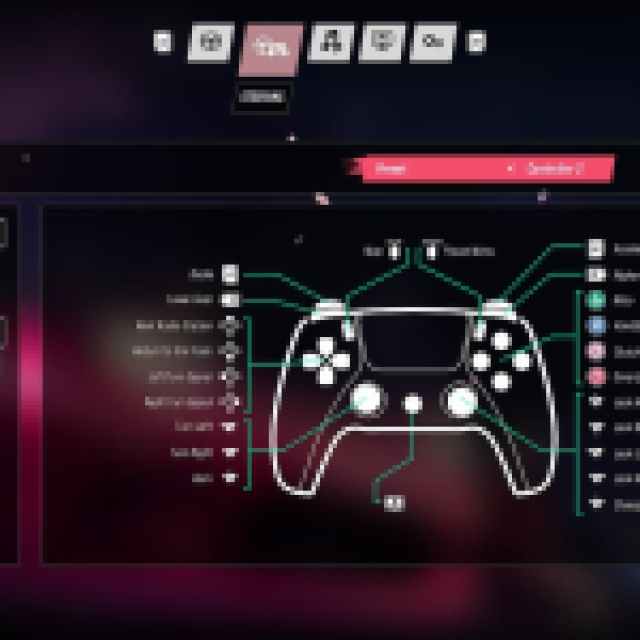
JDM: Japanese Drift Master also has native support for both Xbox and PlayStation controllers, and you don’t need to use Steam Input. I actually recommend keeping it off because it showed me PlayStation prompts by default even though I had an Xbox controller plugged in.


