
How To Disable Motion Blur in Romancing SaGa 2 Revenge of the Seven
Motion Blur begone!


Romancing SaGa 2: Revenge of the Seven is now available on PC and consoles, and it’s a remake of the classic RPG from Square Enix built from the ground up on Unreal Engine. It runs quite well on a variety of hardware thanks to its low requirements, but its barebones graphics settings menu leaves a lot to be desired. Unfortunately, players can’t disable post-processing effects from the in-game settings. If you want to disable motion blur in Romancing SaGa 2 Revenge of the Seven, here is what you need to do.
Disable Motion Blur in Romancing SaGa 2 Revenge of the Seven
To disable motion blur in Romancing SaGa 2: Revenge of the Seven players need to edit the Engine.ini file and add a few commands to disable the effect at an engine level.
- Right-click on Romancing SaGa 2: Revenge of the Seven in Steam
- Select Manage, followed by Browse local files
- Navigate to the following folders:
\Romancing SaGa 2 RotS\Game\GlobalConfig\Saved\Config\WindowsNoEditor
- Here, open the Engine.ini file using a text editor like Notepad or Notepad++
- Add the following lines at the bottom
[SystemSettings]
r.MotionBlurQuality=0
r.MotionBlurMax=0
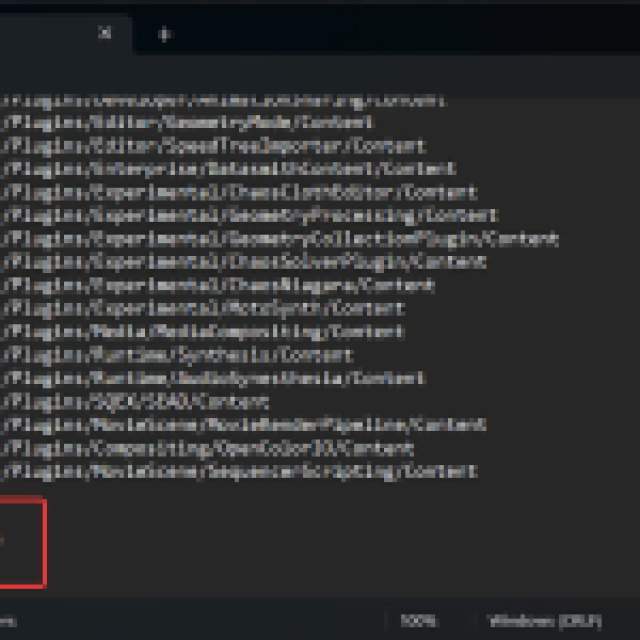
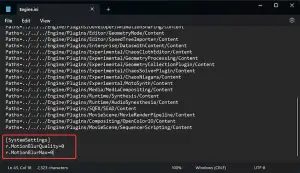
- Save the file (Ctrl + S), and exit out
That’s all you need to do, and the next time you launch Romancing SaGa 2: Revenge of the Seven, the motion blur effect will be completely disabled.
It’s hard to demonstrate this effect in screenshots. Still, there’s an obvious improvement in overall visual quality, especially if you’re sensitive to motion blur and the potential motion sickness it can cause.
Disable Depth of Field in Romancing SaGa 2 Revenge of the Seven
Similarly, you can disable the depth of field setting by entering the following additional command in the Engine.ini file under [SystemSettings]
r.DepthOfFieldQuality=0
If you want to enable either of these effects again, simply remove the lines from the Engine.ini file.
Further Improve Image Quality
The game also uses an aggressive TAA implementation, and we recommend using VSR/DSR (downsampling) to render the game at a higher resolution on your desktop. This will improve the overall sharpness of the image, and reduce the TAA blur.
If you aren’t familiar with how downsampling works, simply enable VSR or DSR in the driver control of your GPU, and use an in-game resolution higher than your monitor’s max value. So for instance, you can use 1440p on a monitor with support for 1080p. Thankfully, the game doesn’t have any problem with either VSR or DSR and as long as you use the “Exclusive Fullscreen” mode, you can select a higher resolution than the maximum resolution of your monitor.
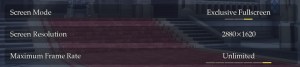
Keep in mind, that this will impact performance, but Romancing SaGa 2: Revenge of the Seven isn’t that demanding to begin with, and the trade-off is well worth it.


